



OMV Dark Mode
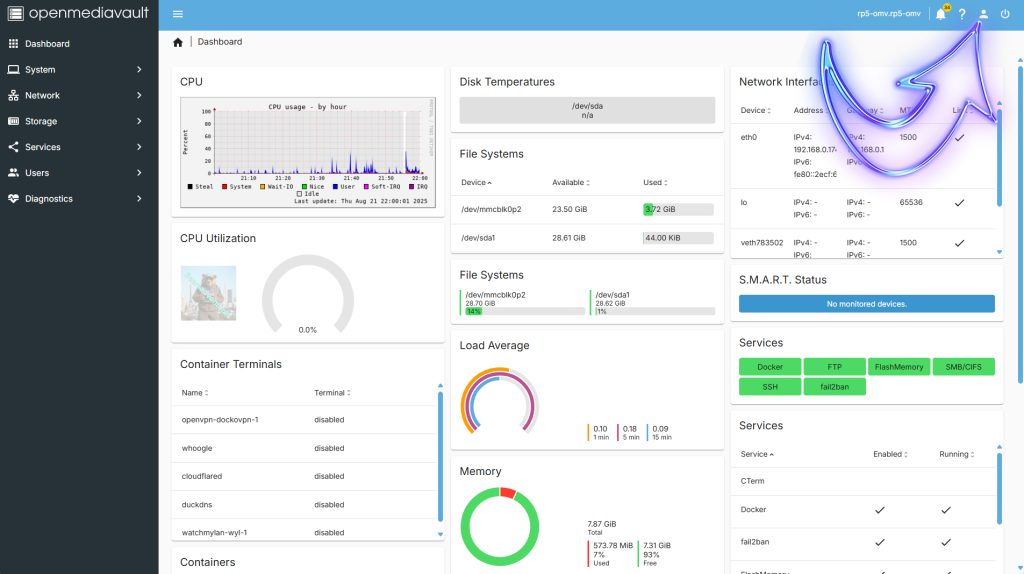
From the Dashboard Select the Little Figure in the top right of the dashboard.
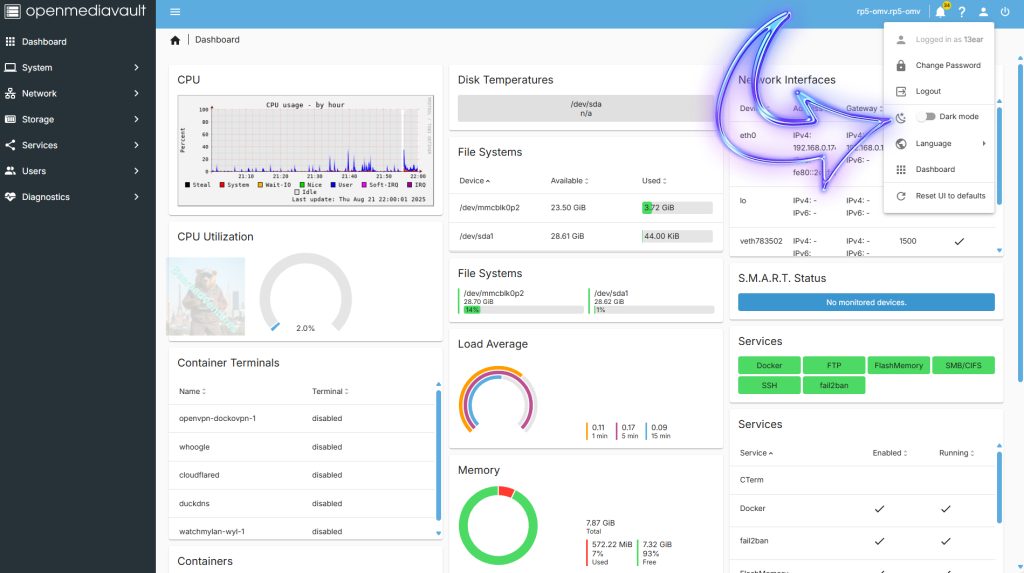
Now Select dark Mode from the drop down menu
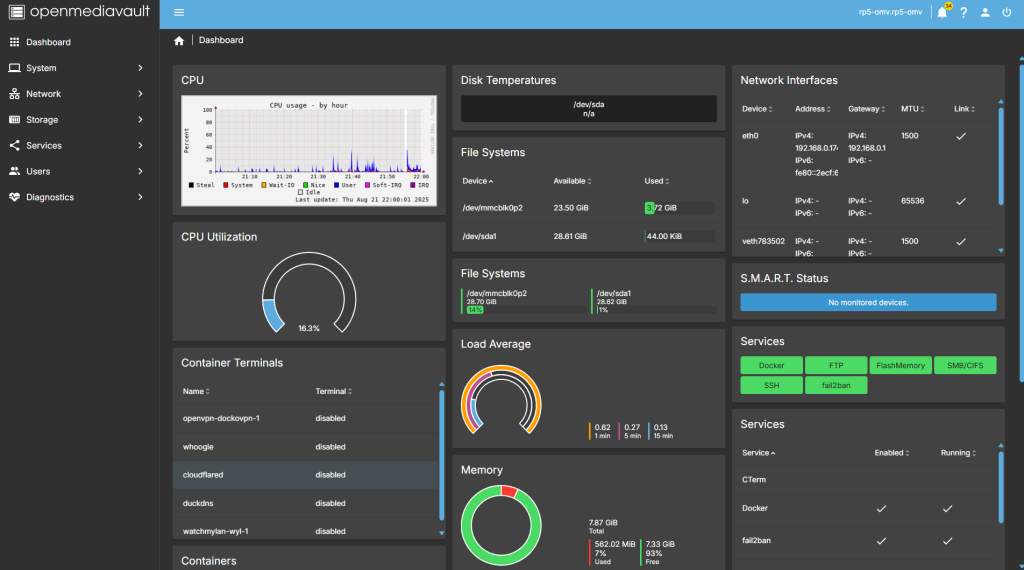
Thats it your now in dark mode.
From the Dashboard Select the Little Figure in the top right of the dashboard.
Now Select dark Mode from the drop down menu
Thats it your now in dark mode.