




OMV Notifications
OMV Notifications is a feature that allows users to receive email alerts for various events and tasks within OpenMediaVault. This feature is particularly useful for monitoring the health and status of the OpenMediaVault system. Notifications can be configured to be sent via email, and the system can send emails to multiple recipient.
I did this one in Dark Mode easy to change back to day mode see Here
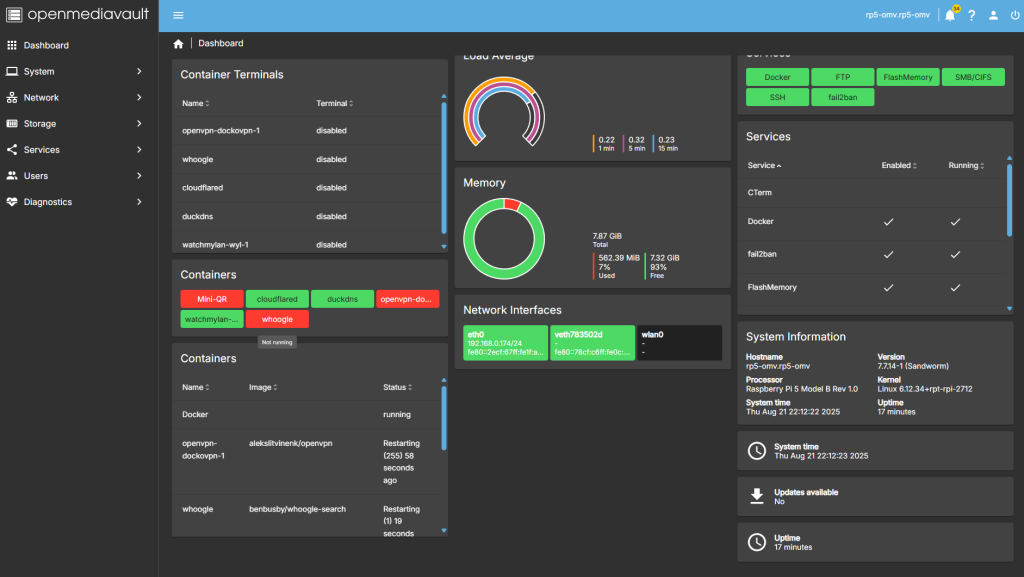
Step 1
So From the dashboard we want to Head over to Systems
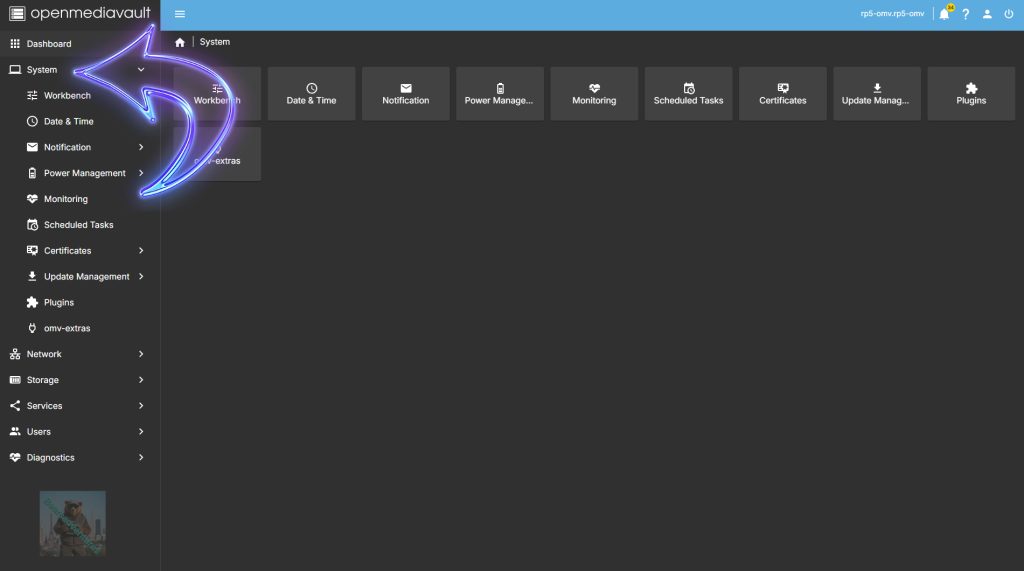
Step 2
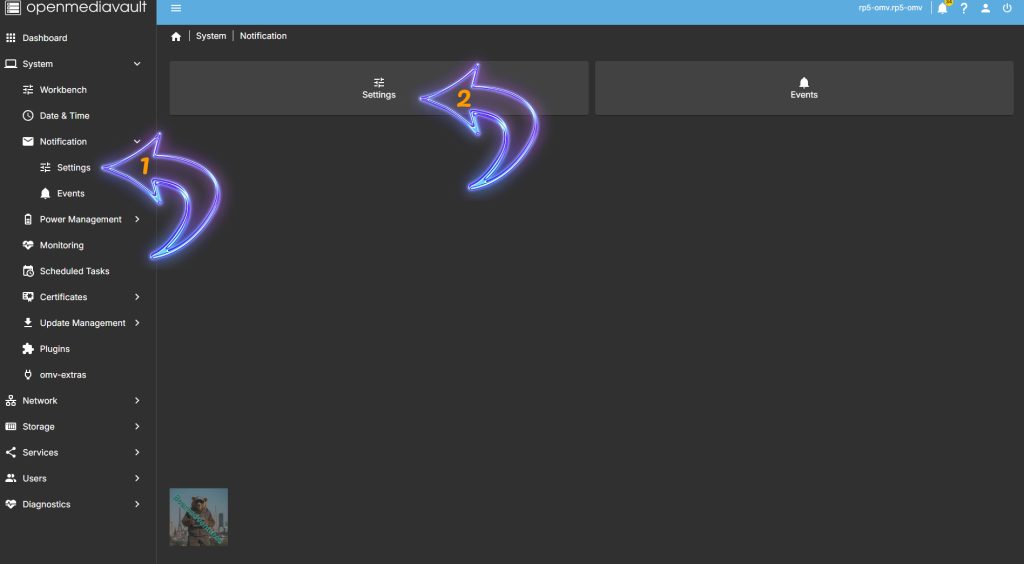
Select Notification by the left hand side ( Arrow with 1 inside ) or by selecting Notification on the dash ( Arrow with 2 inside )
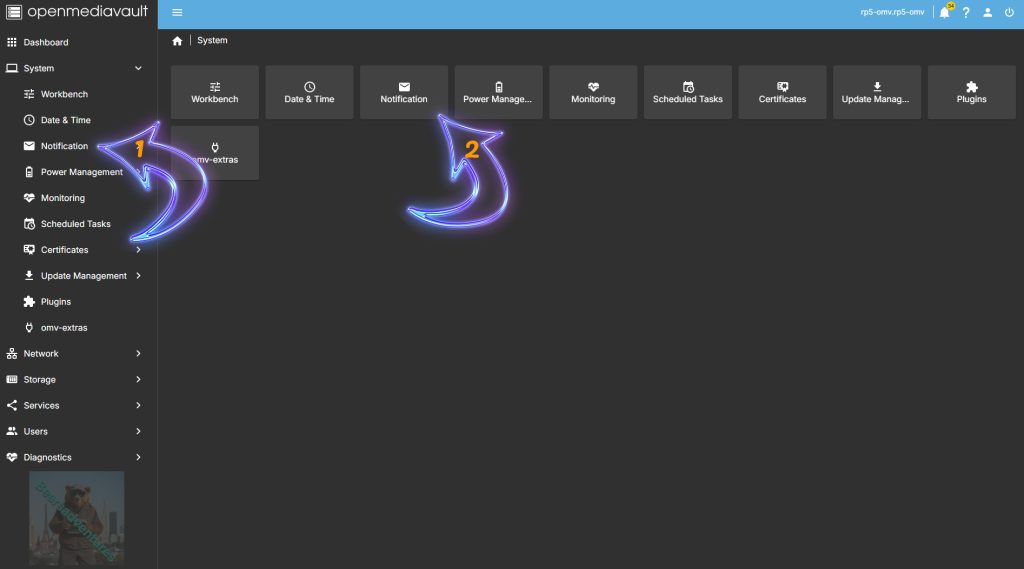
Step 3
Select Settings by the left hand side ( Arrow with 1 inside ) or by selecting Settings on the dash ( Arrow with 2 inside )
Step 4
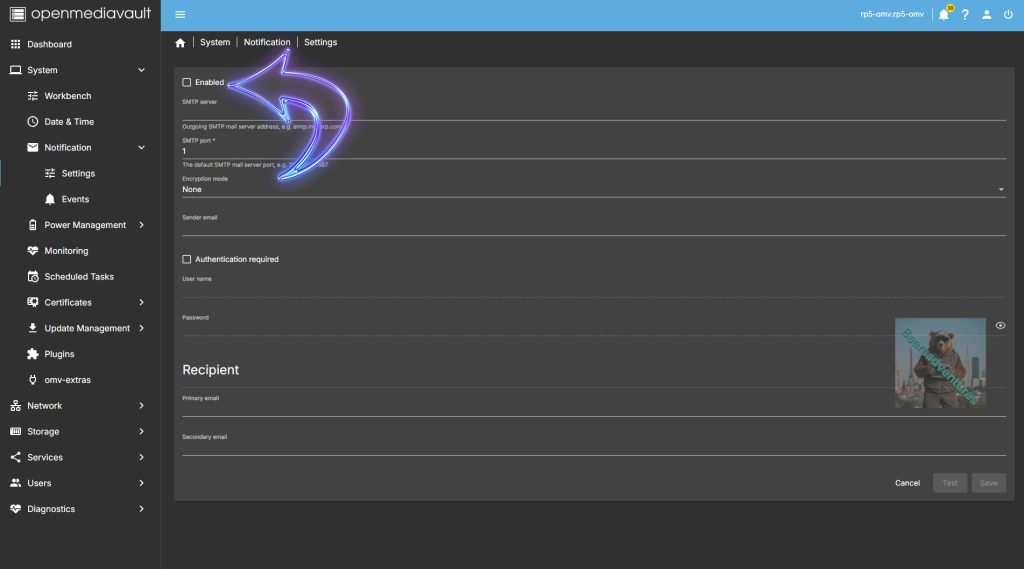
So first thing todo is to enable the Notification before we start adding in the information.
Step 5
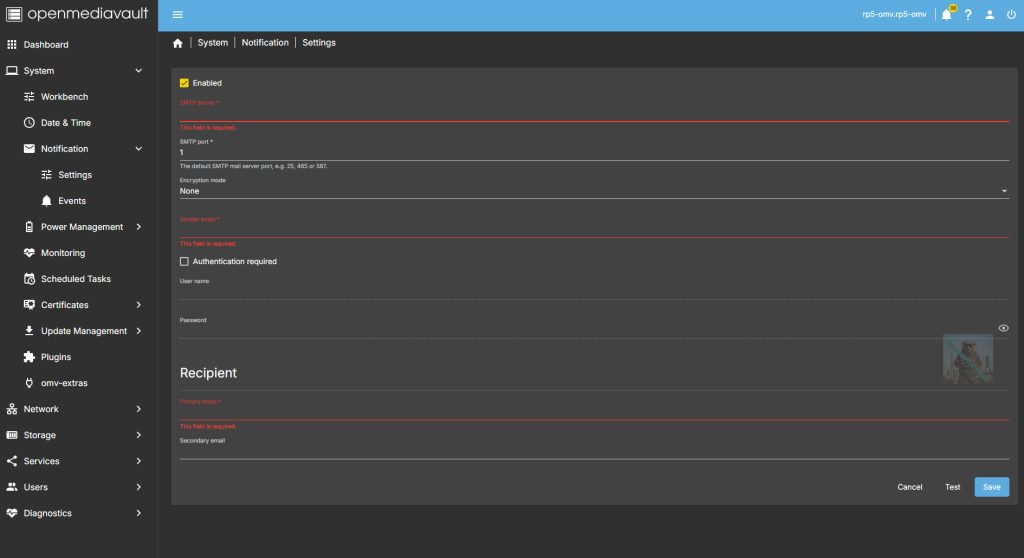
After pressing Enabled. if you try and safe you will get these errors. dont worry we are going to fill this in.
Step 6
Fill in All the Sections that are easy
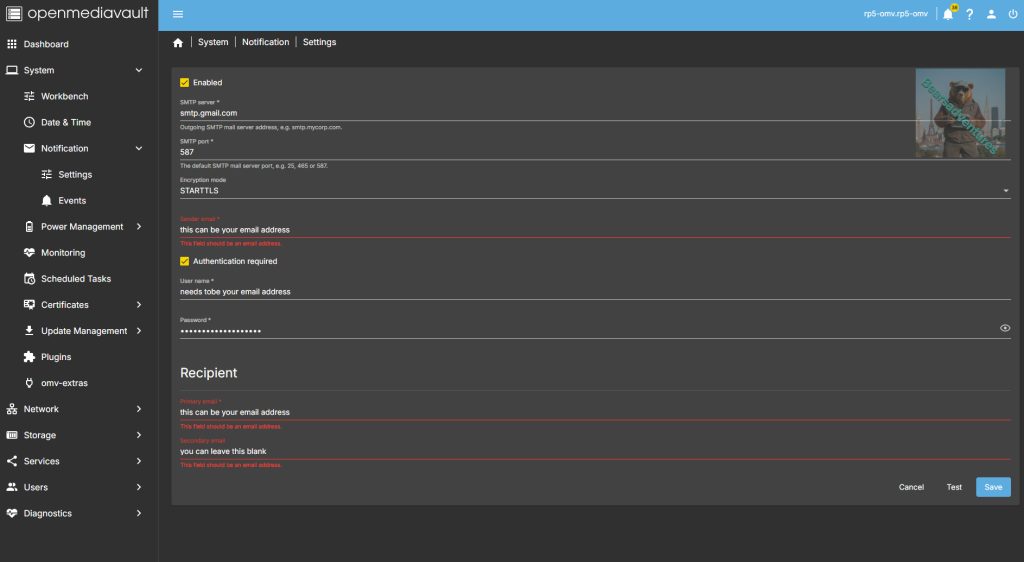
The key one is password this needs tobe from the google(in my case) app .
A,
Use this link to create a new app password https://myaccount.google.com/apppasswords
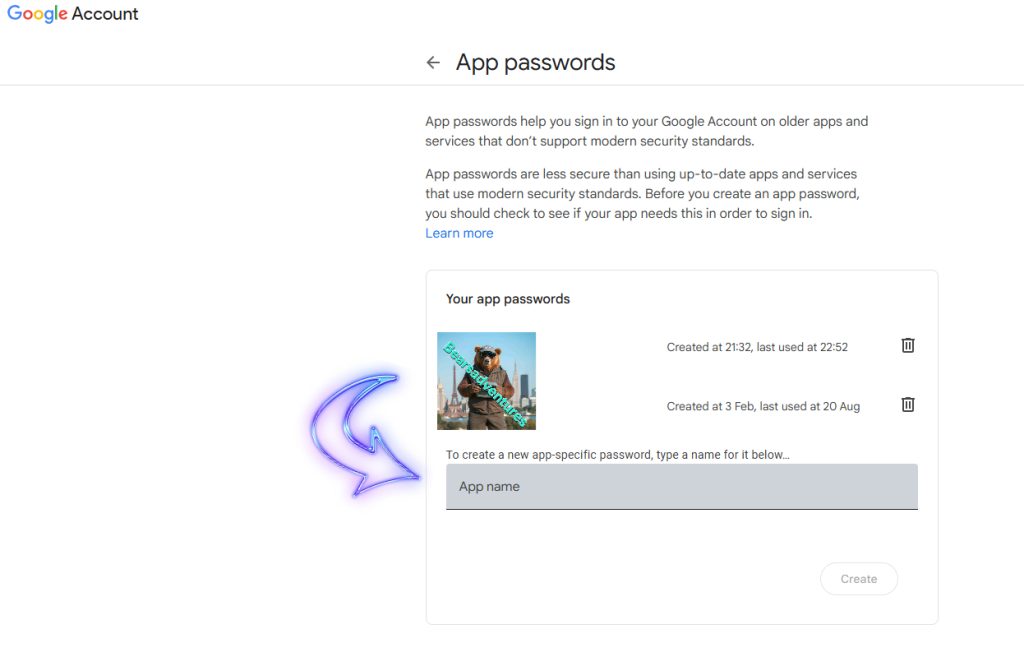
B,
After you have Added a app name and pressed create, you will then get the password like this. (this is just a example, has now been deleted)
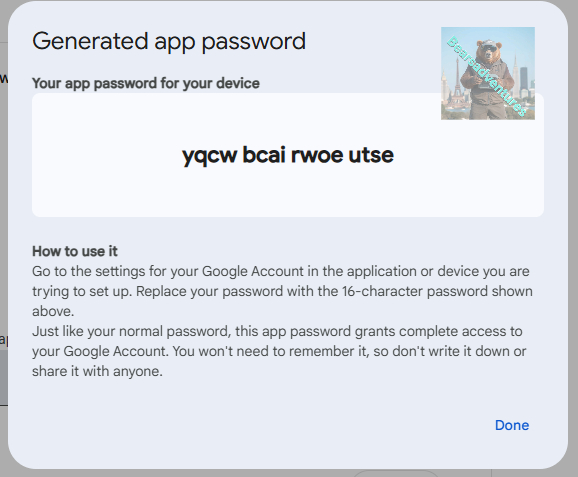
This is the password you will need for the Authentication required Section.
Step 7
after Pressing save you will need to select the Tick in the Yellow box
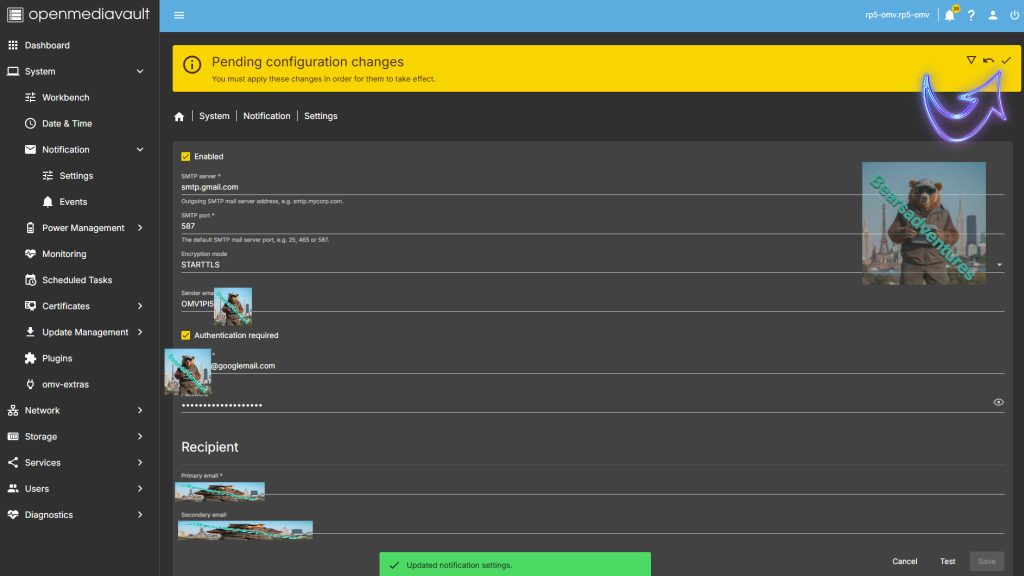
Step 8
Remember to press yes to apply the changes
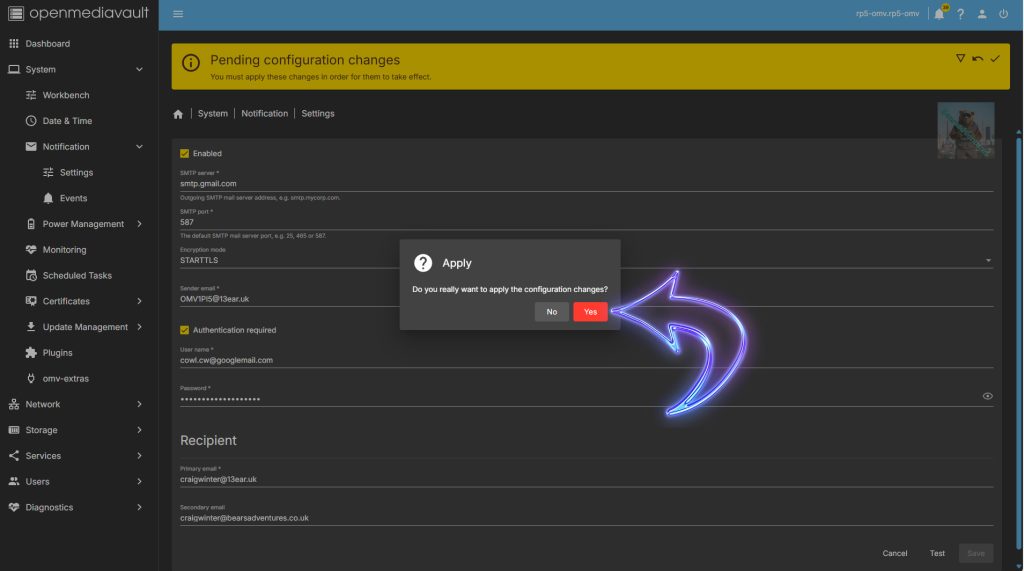
Step 9
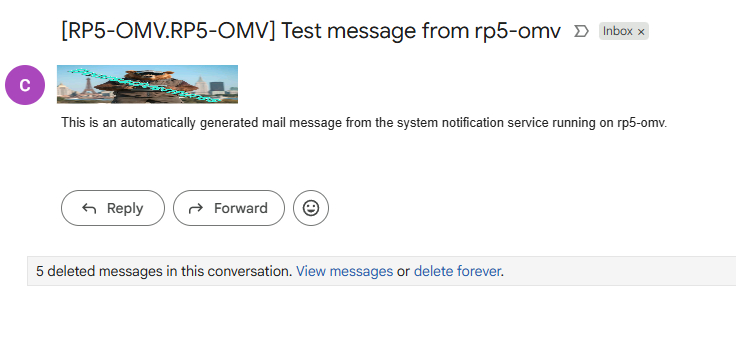
To Test the Settings just select Test and now check your e-mails
For Me worked no issues.
Final thoughts.
This is perfect for me because now i will get a e-mail out my home when somthing is happening to my OMV Server and i can check on the Server using Wireguard VPN. i Created to Tutorial on how to set that up aswell Here.
Share: https://13a.uk/66qy