





Raspberry Pi 5 Hotspot Setup
I have been wanting todo this project for some time now and thought why not. The aim is to have a good reliable hotspot and FTP server running off a SSD drive. Grab yourself a fresh copy of Raspberry Pi OS. how to here.
You are also going to need to set your IP number as static i did this on my Pihole setup. Project here, This is 192.168.0.172 for me.

Step 1
Update the pi system.
sudo apt-get update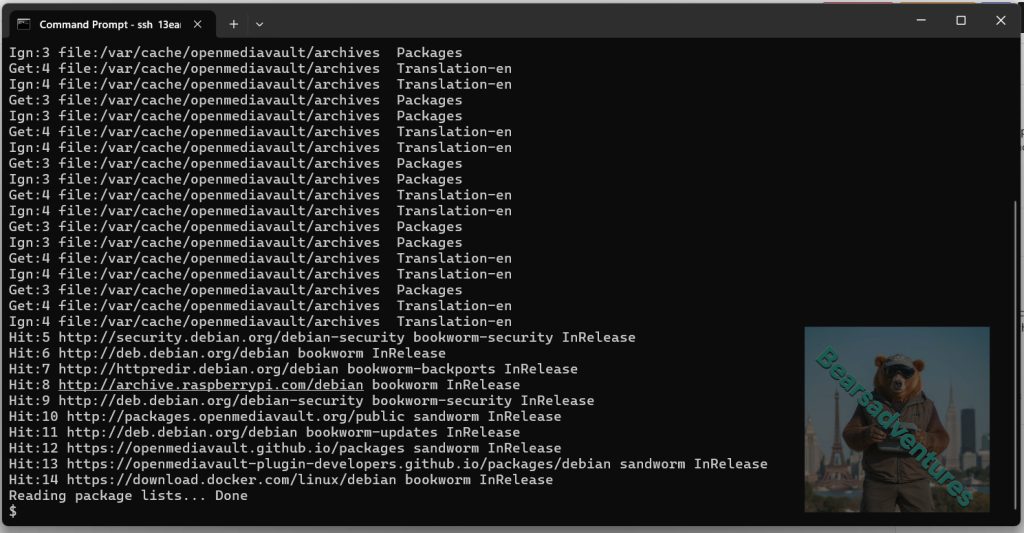
Step 2
Upgrade the system of any updates and after this task reboot aswell
sudo apt-get full-upgrade
sudo reboot 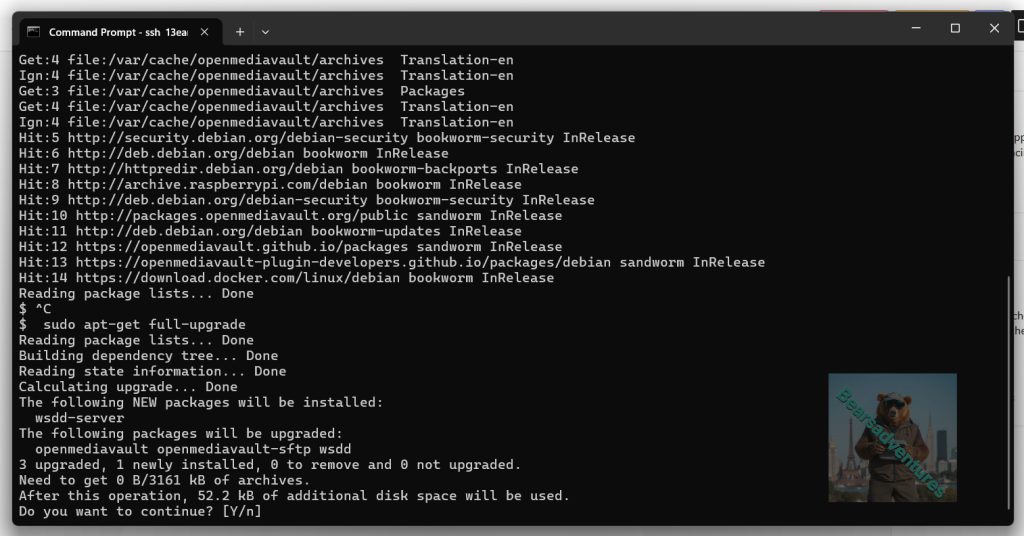
Step 3
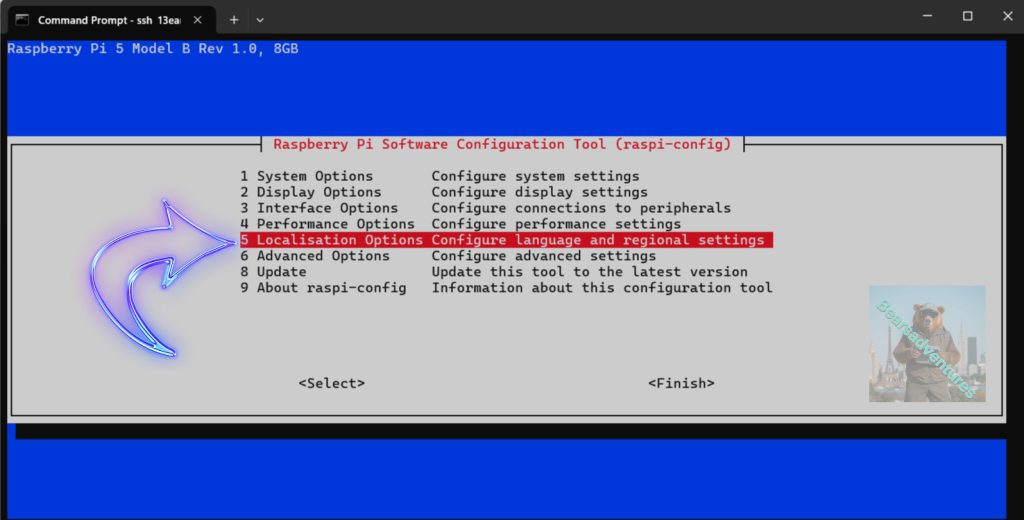
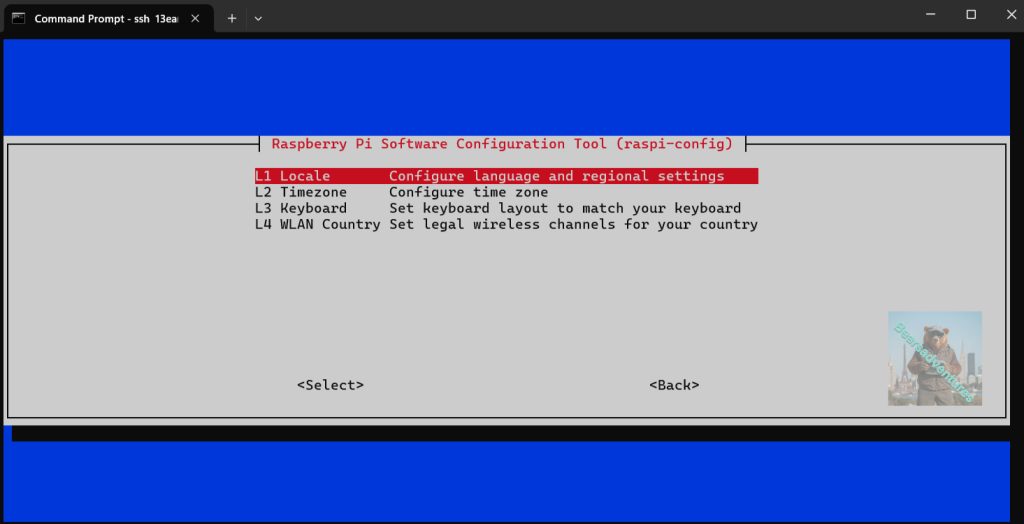
Setup the WiFi country in raspi-config‘s Localisation Options
you dont have todo this but i like to set this up when im dong anything that i can use anywhere. Jump to step 4 if you do not want todo this.
A, Type this command in the CLI
sudo raspi-config B, Option 5 Localisation Options
C, L1 Local
D
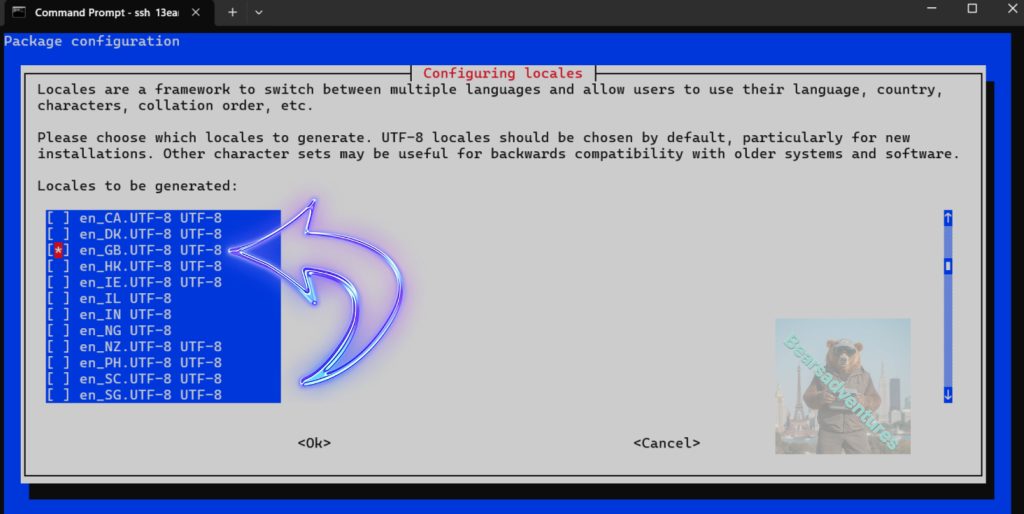
E
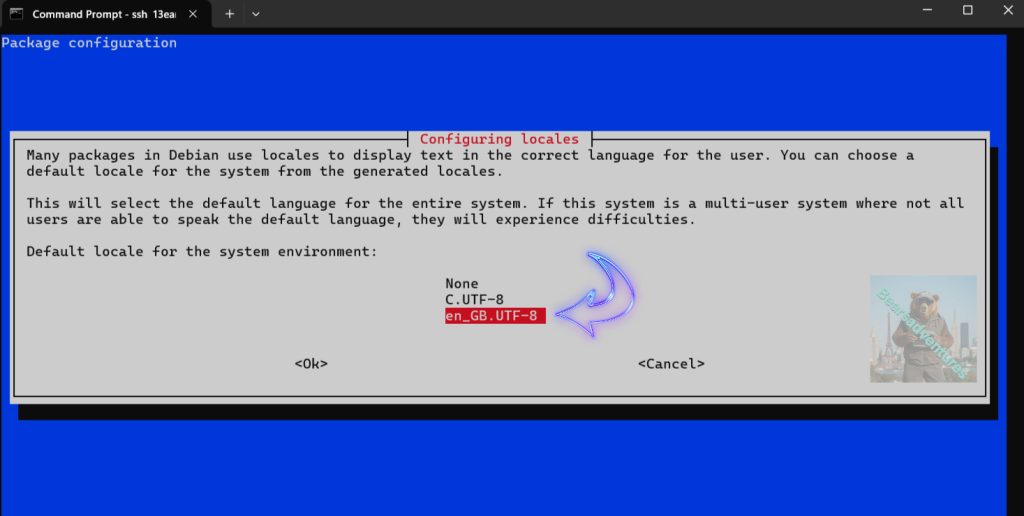
F, Select finished to exit.
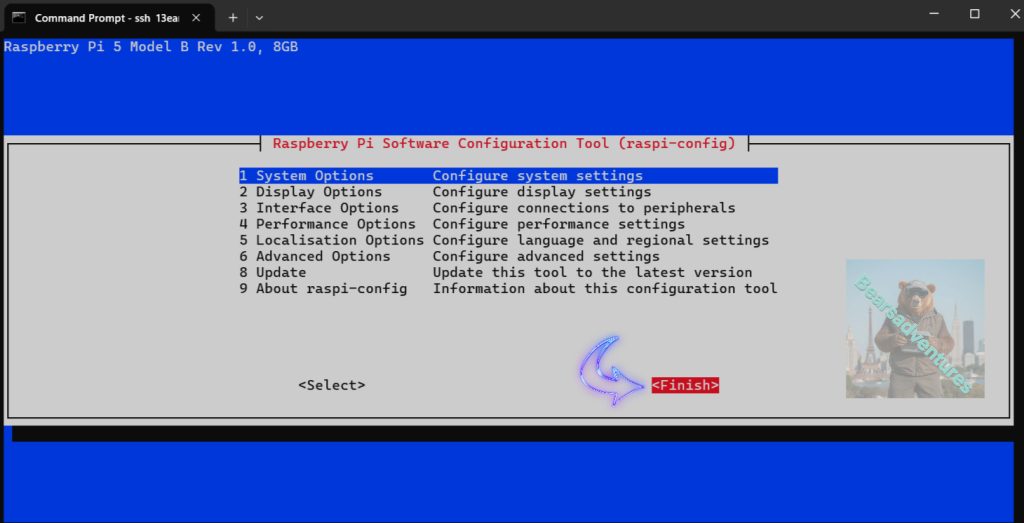
Step 4
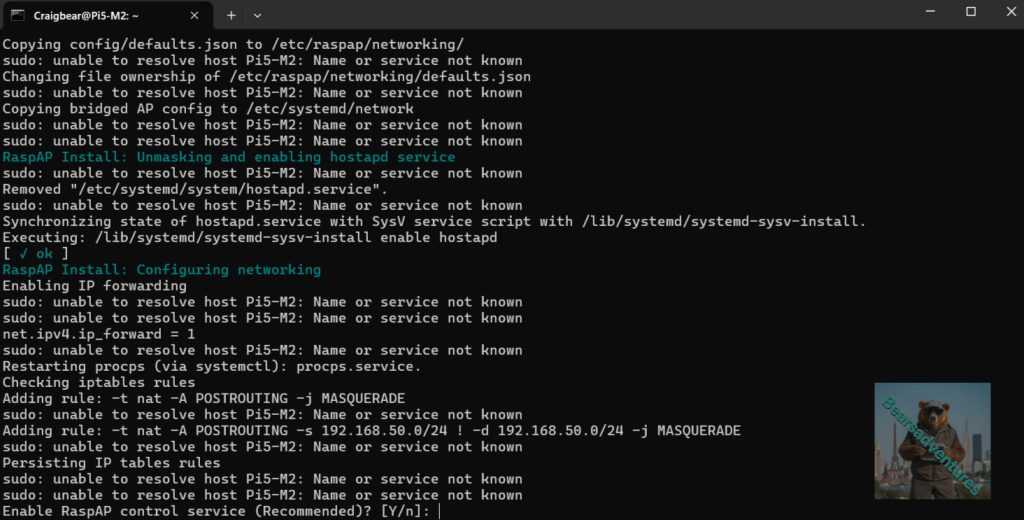
Get the RaspAP’s Quick Installer: type this in
curl -sL https://install.raspap.com | bash 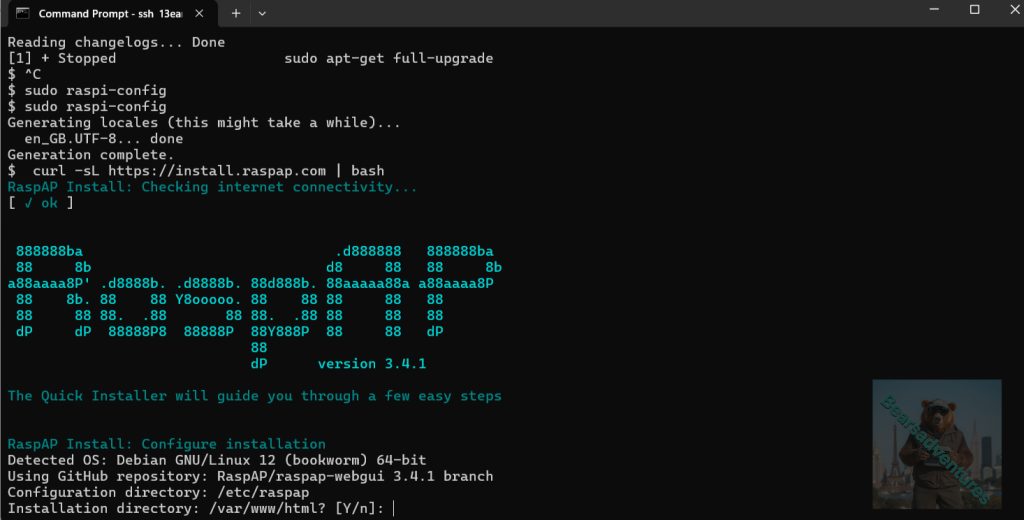
Step 5
After the install, remember to reboot the system.
sudo reboot Step 6
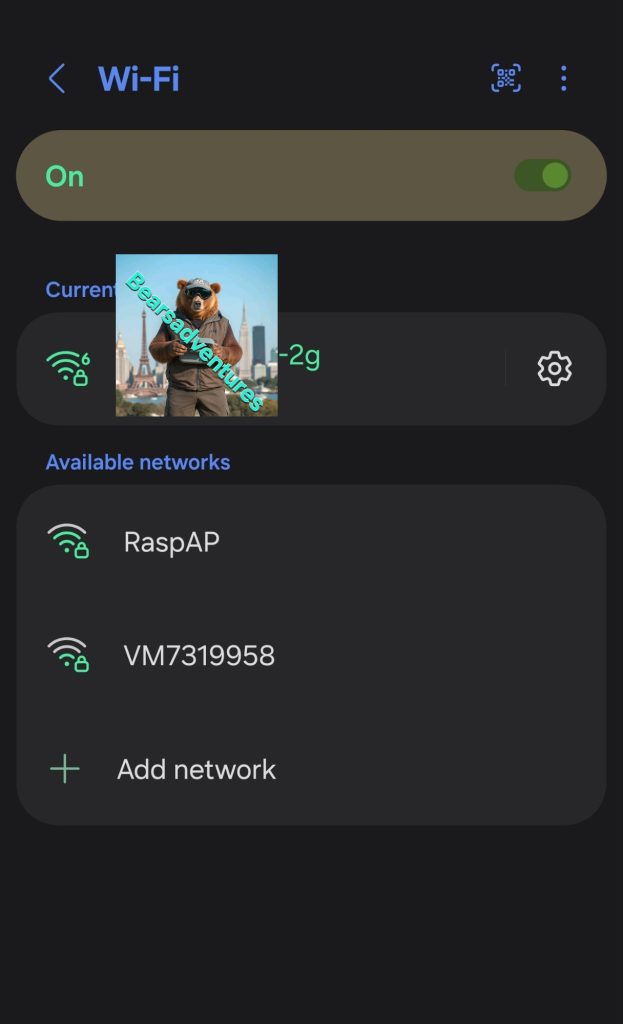
I used my phone to see if the hotspot is only and ready. but you can use just about anything to see if the hotspot is live.
Step 7
Login on your network im using my laptop. 192.168.0.172
First time you login.
The default username is “admin” and the default password is “secret”.
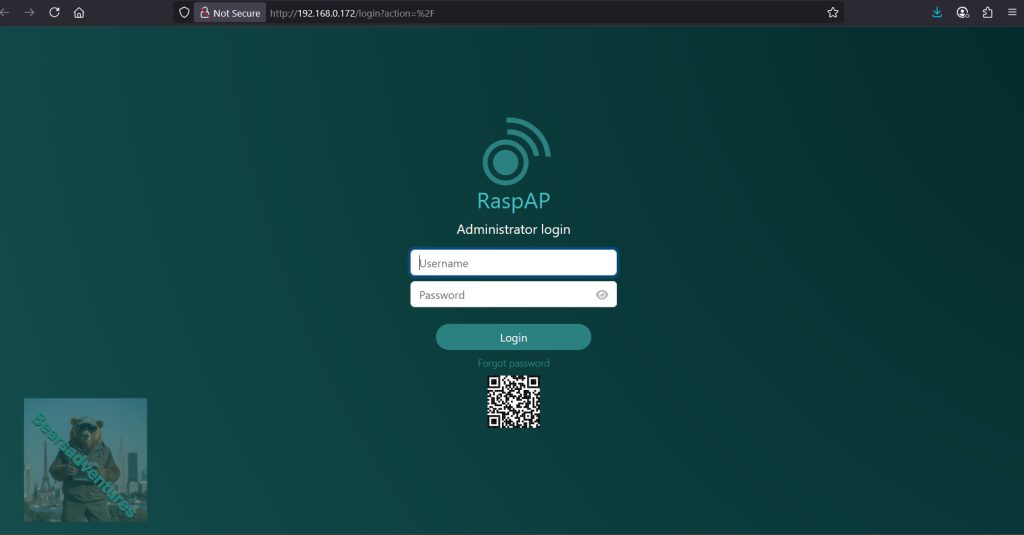
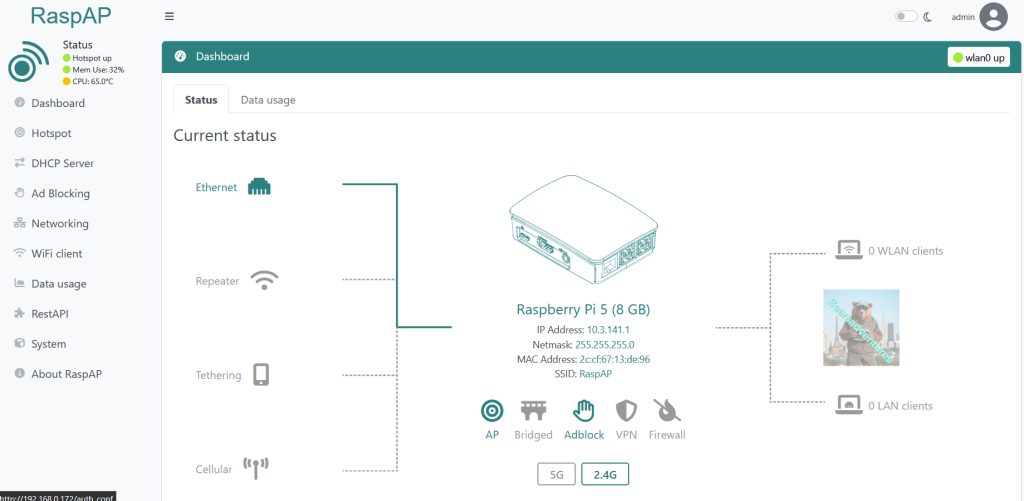
First time you have login, I love the look of the Dashboard and easy to use layout.
Step 8
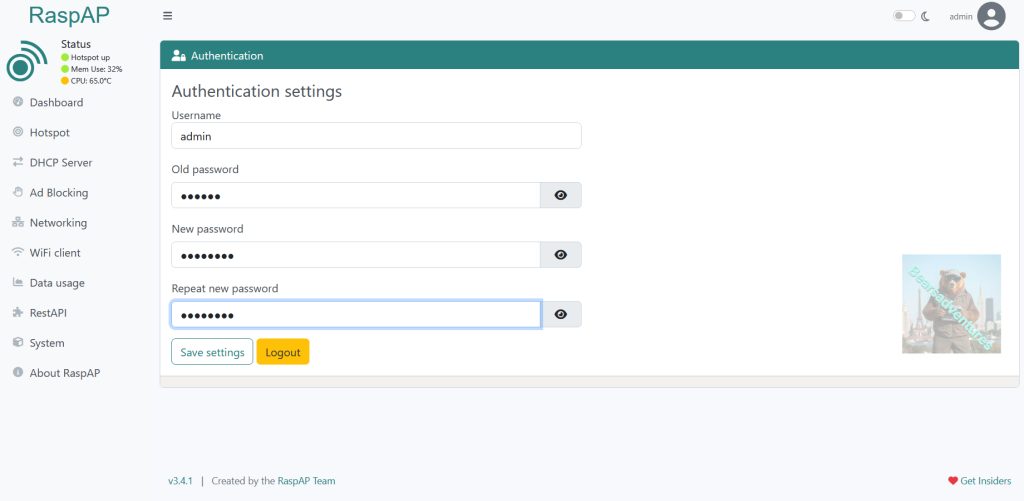
Probably one of the most important things todo first is to change the login password. Select top right corner your user name and there you will get the below menu for changing the password.
Step 9
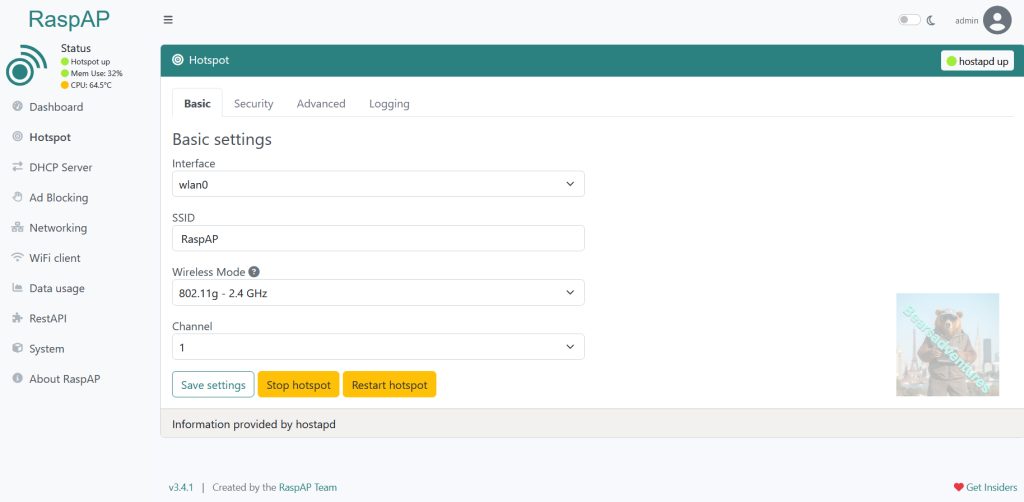
jump over to hotspot button is on the left hand side second one down. Here you can change your SSID name to what ever you want. you will notice Basic tab we are on at the moment.
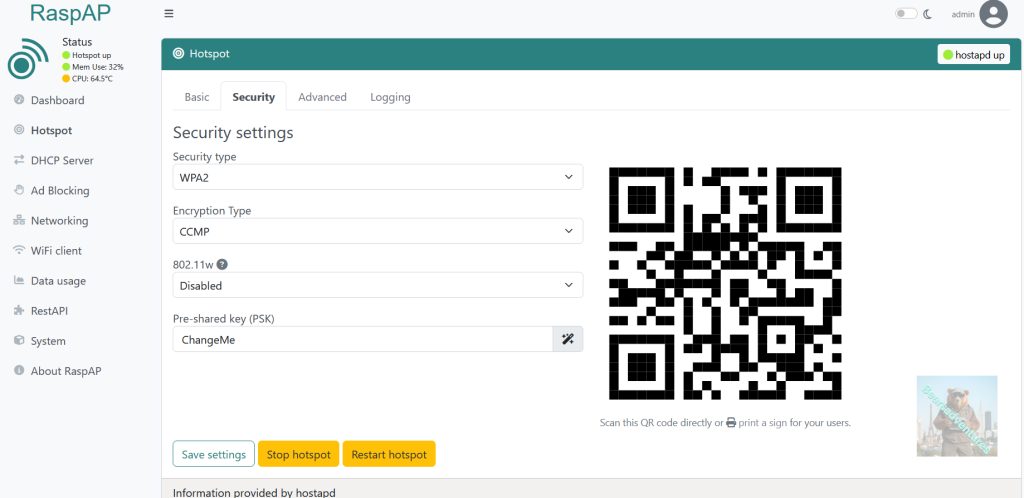
Press the security tab and change Pre-shared key : from ChangeMe to what ever you want. Remember to save. also here you can stop, start and restart hotspot.
Step 10
Now connect to the hotspot
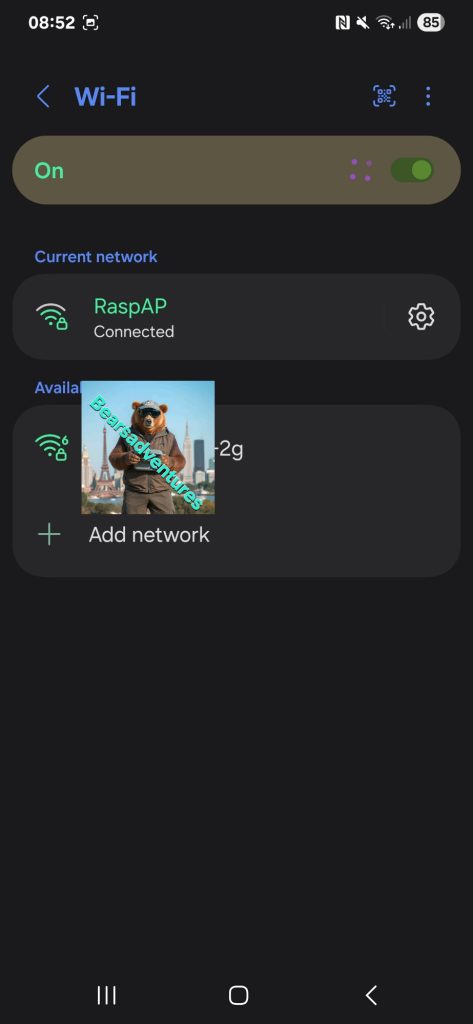
If you forget your password thats ok. just plug the pi into a router and connect to the pi through that router and login. change passwords
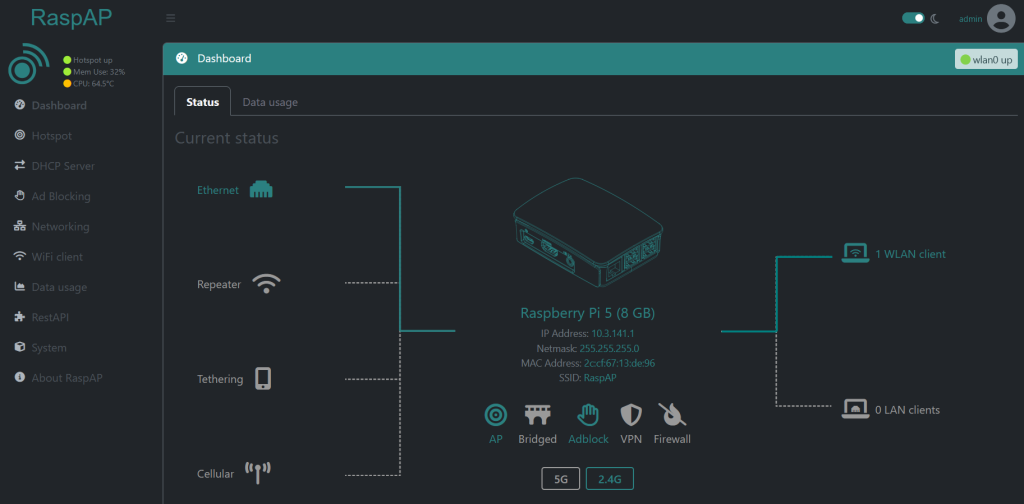
Installl of a hotspot usb dongle

now we need to install the dongle
lets login and find the dongle in the interface list
type iwconfig
trouble shooting
may have to stop nmcli
To disable wifi: nmcli networking off
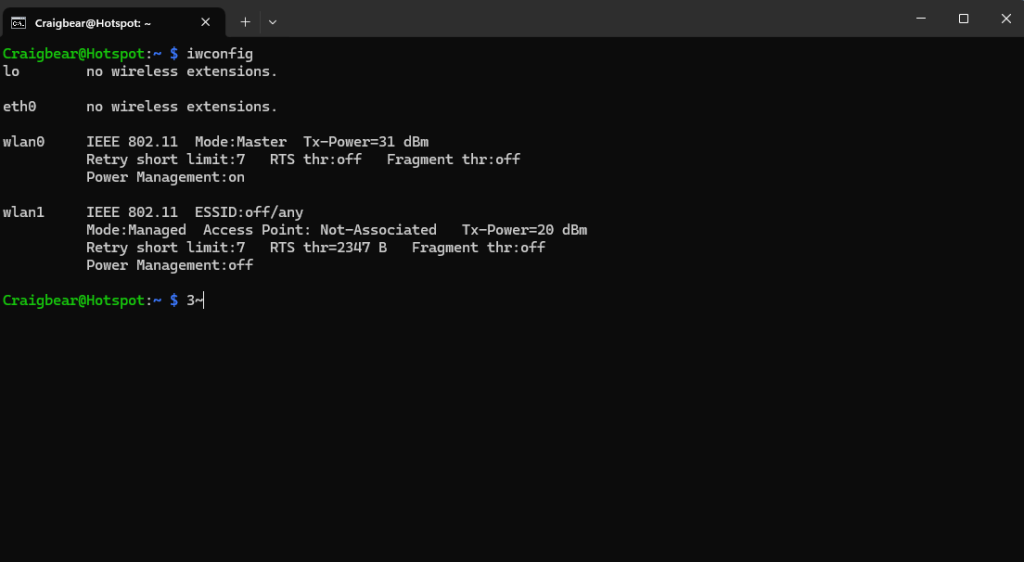
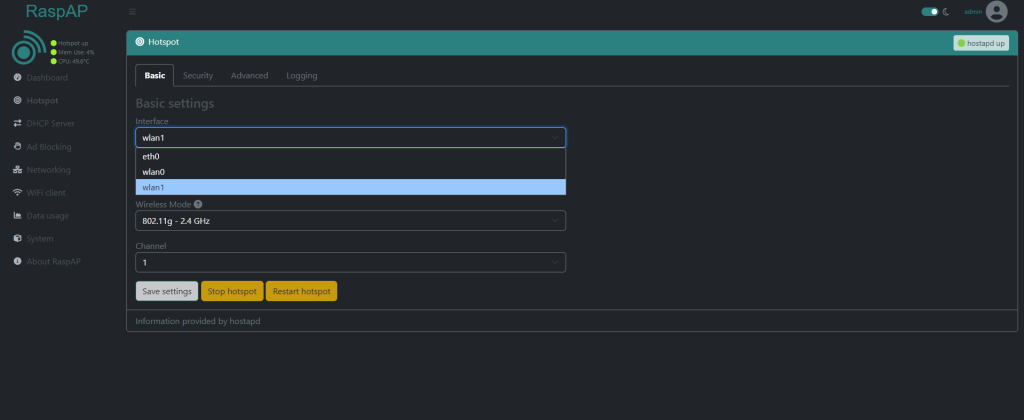
We want the wlan1 new dongle so now we know thw dongle is working lets get it working in RAspap
Raspap has picked up the Dongle aswell
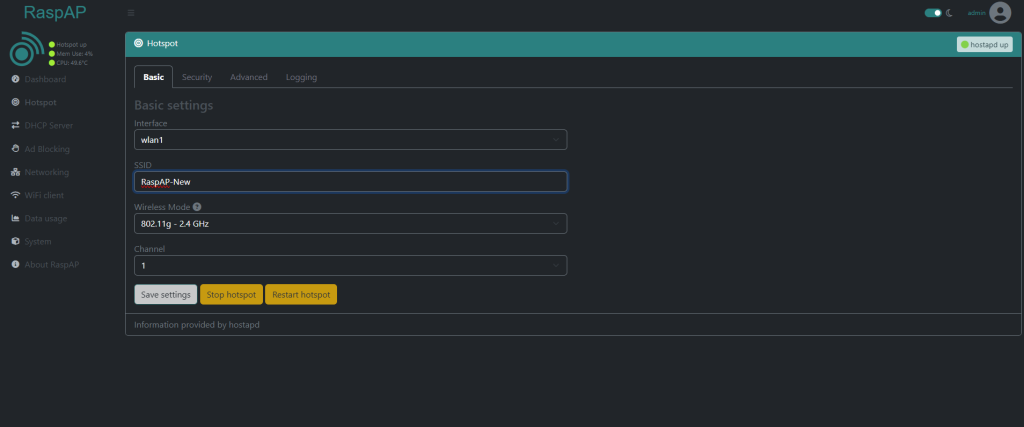
now change the SSID and Save
change password
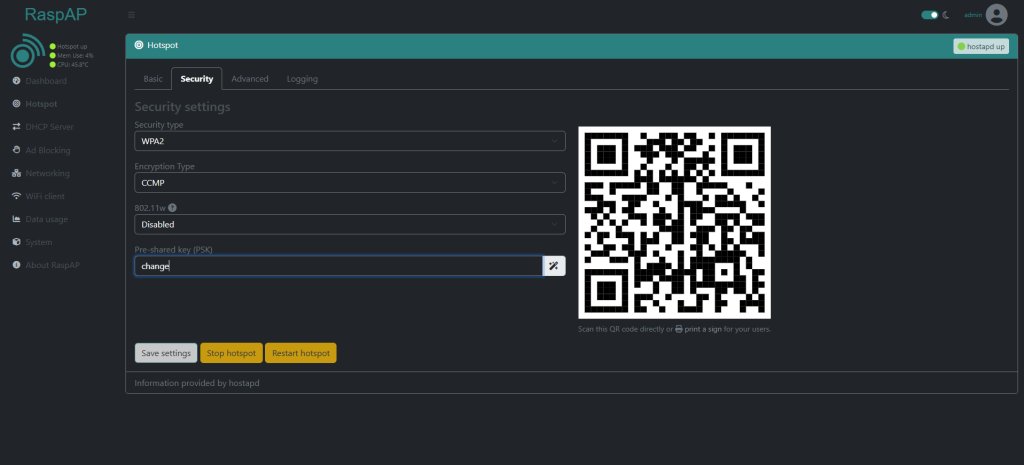
now only thing todo is connect
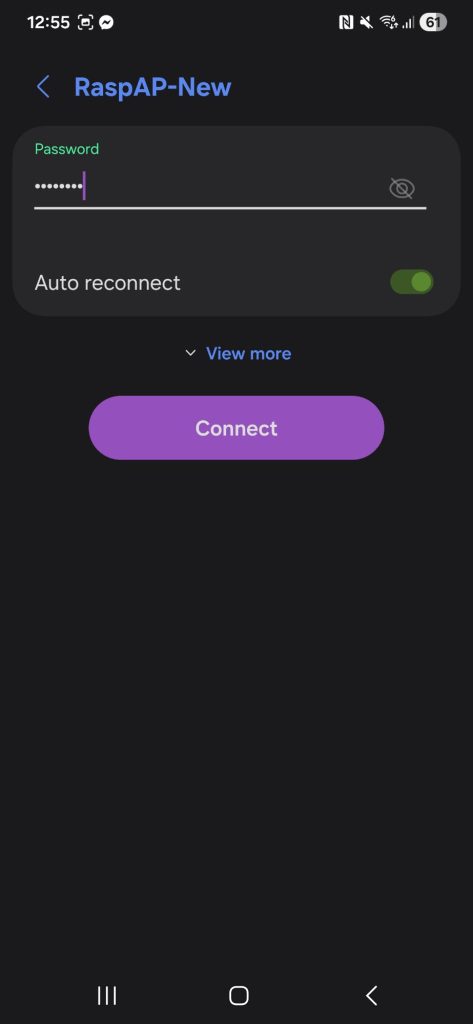
now you are connected you can accress the dashboard direct aswell
before you do we need to find the address of the raspap mine is 10.9.141.1
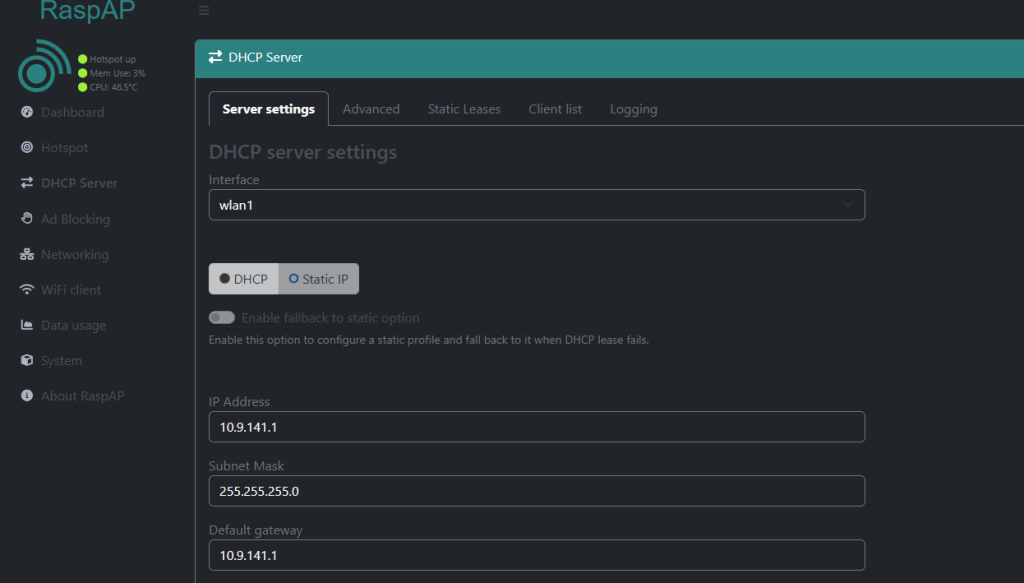
type this ip number in your explorer box
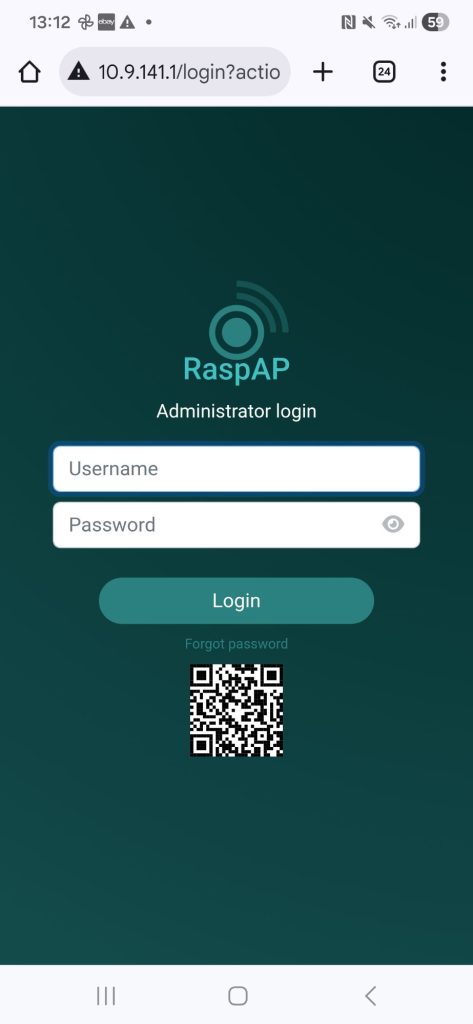
Final Thoughts upto now.
RaspAP is really easy to install and setup. took me about 1 hour to do. I installed a SSD and setup SFTP Here And Heatsink on the SSD. This is the heatsink.
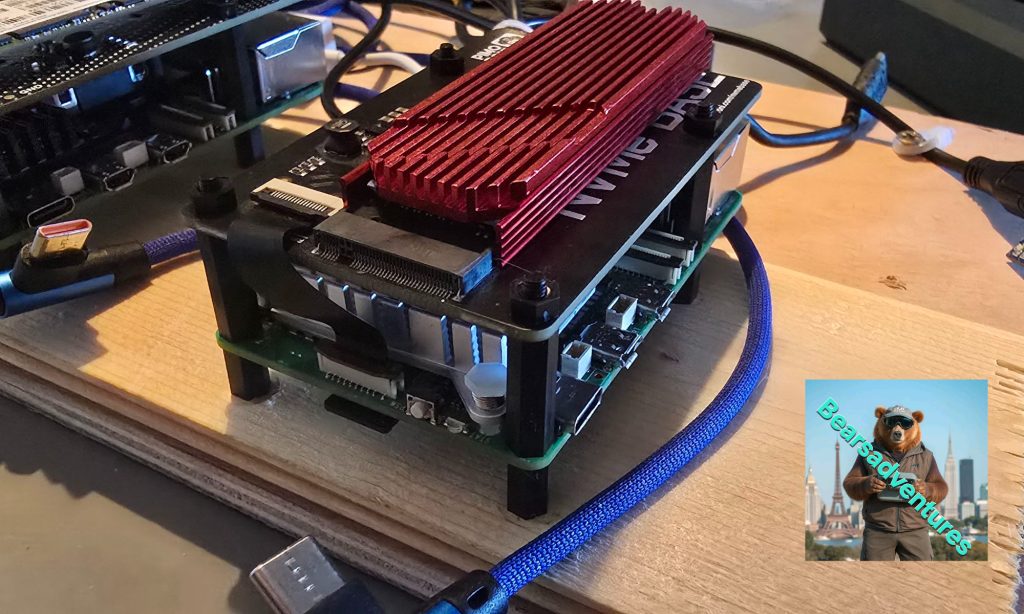
Now i am going to install SFTP Server. this SSD has made a large difference in performance so definitely recommend doing this.