




Plex invite Guide
Step 1
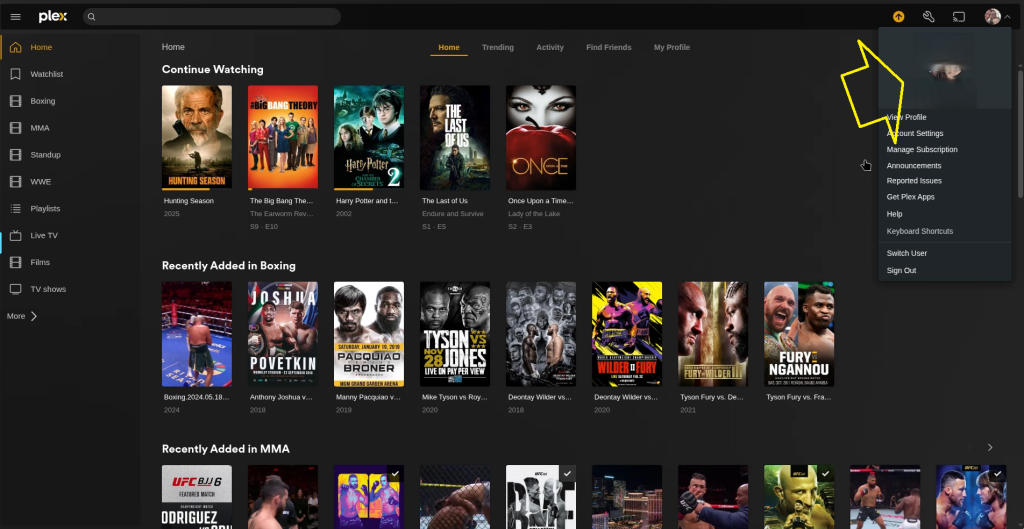
Select your profile picture top right
step 2
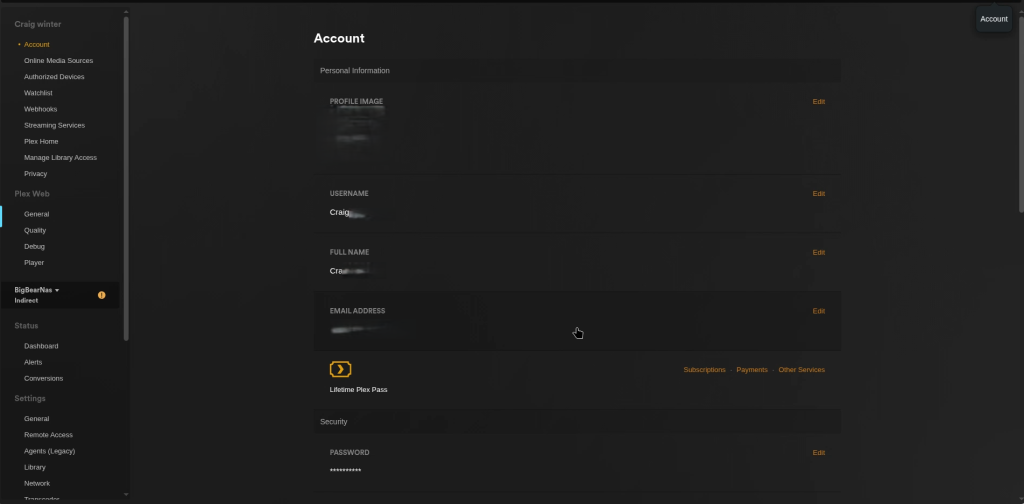
select account setting to get into your dash board
Step 3
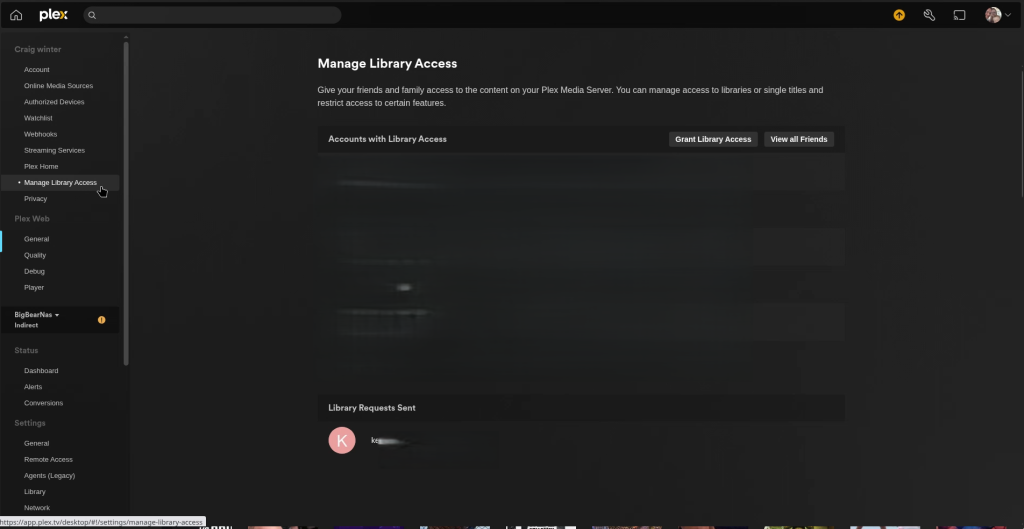
Now select Manage library access on the left hand side
Step 4

Now Select Grant library access
step 5
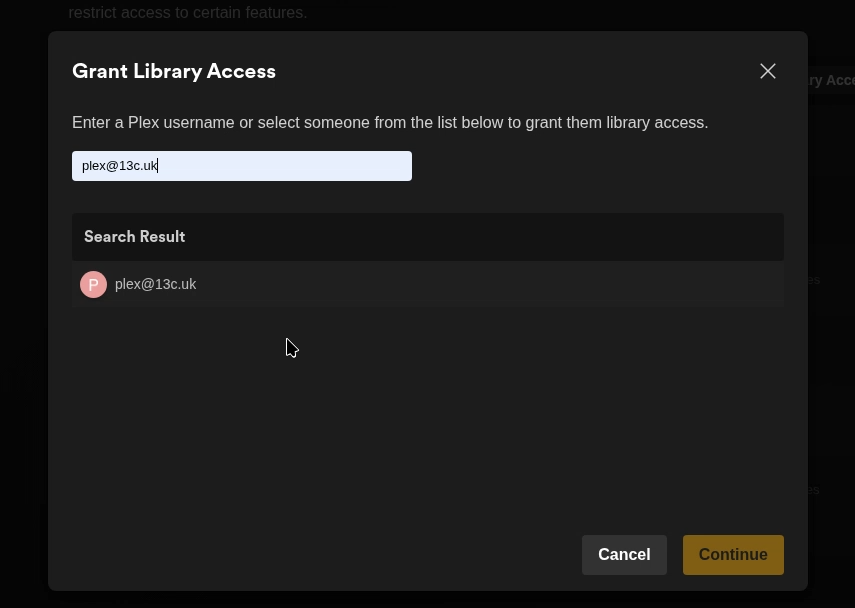
Enter the e-mail address of the person you want to grant access to your library.
step 6
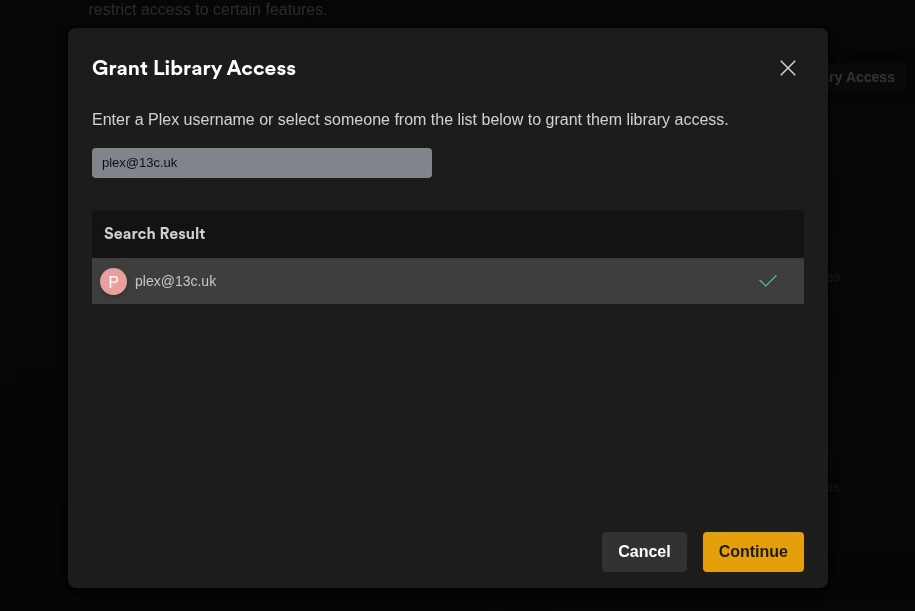
Select the email address in the search result and select continue.
step 7
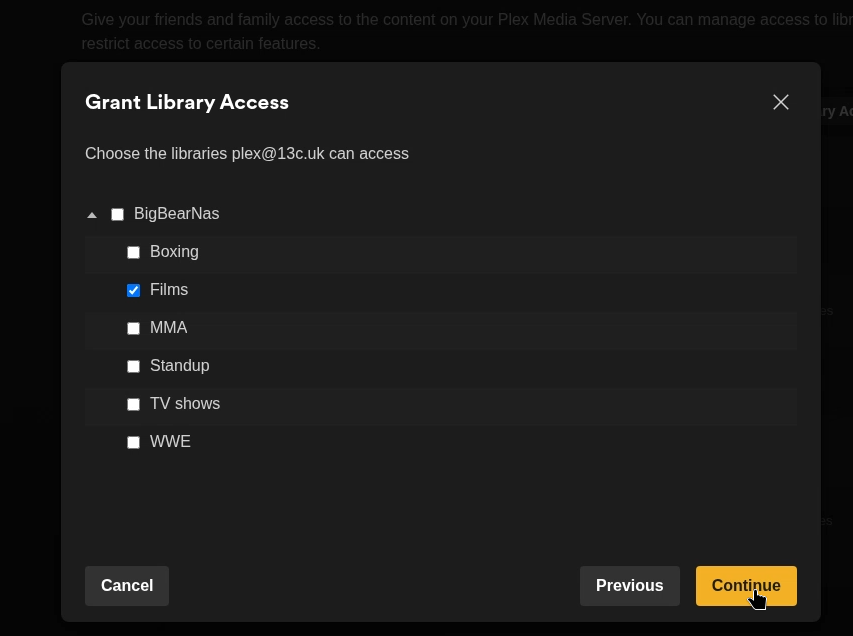
select the library you want the person to access and select continue
step 8
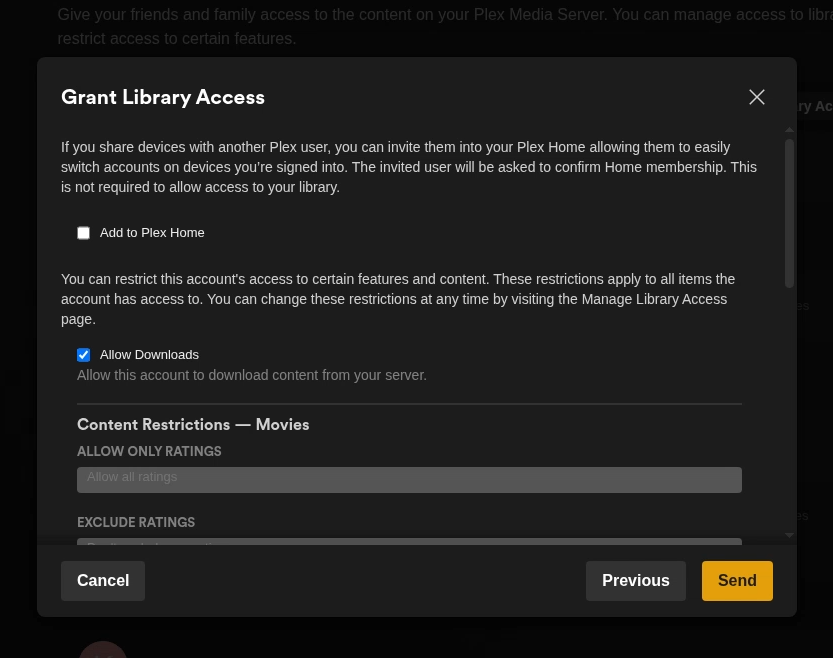
this section is how you want the person / user to access your library.
when you are happy. select send.
Note when you do this you will be sending a invite to the email address you enter.
step 9
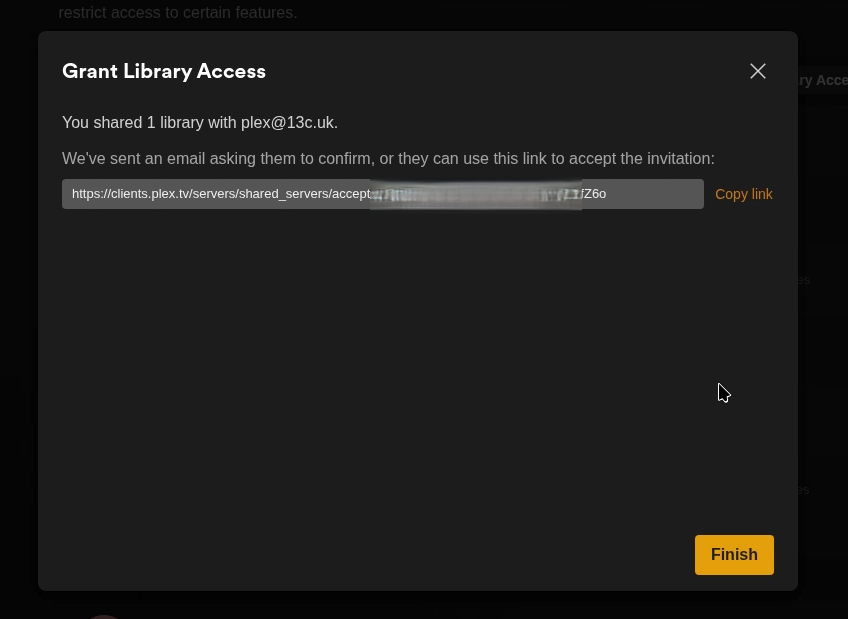
you can also sent the link to the person / user you want to give access.
Step 10

person / user will now have a invite.