




Synology Communicate to UPS
Today we are going to look at some of the best Synology NAS UPS devices that you can use. A UPS is an uninterruptable power supply and in its simplest form.
Step 1
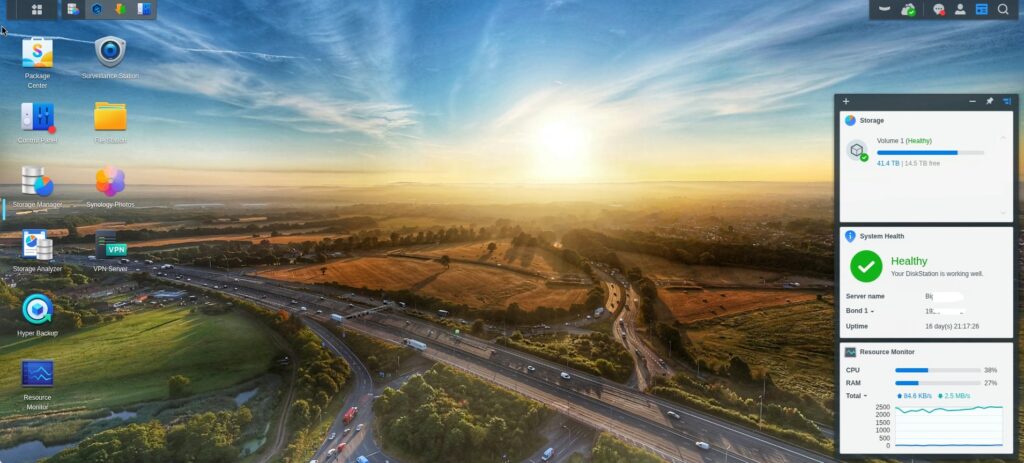
Login to your DSM and Head over to Control panel / Hardware & power. for the for the step.
Note : This section need tobe your main Synology server for this step.
Step 2
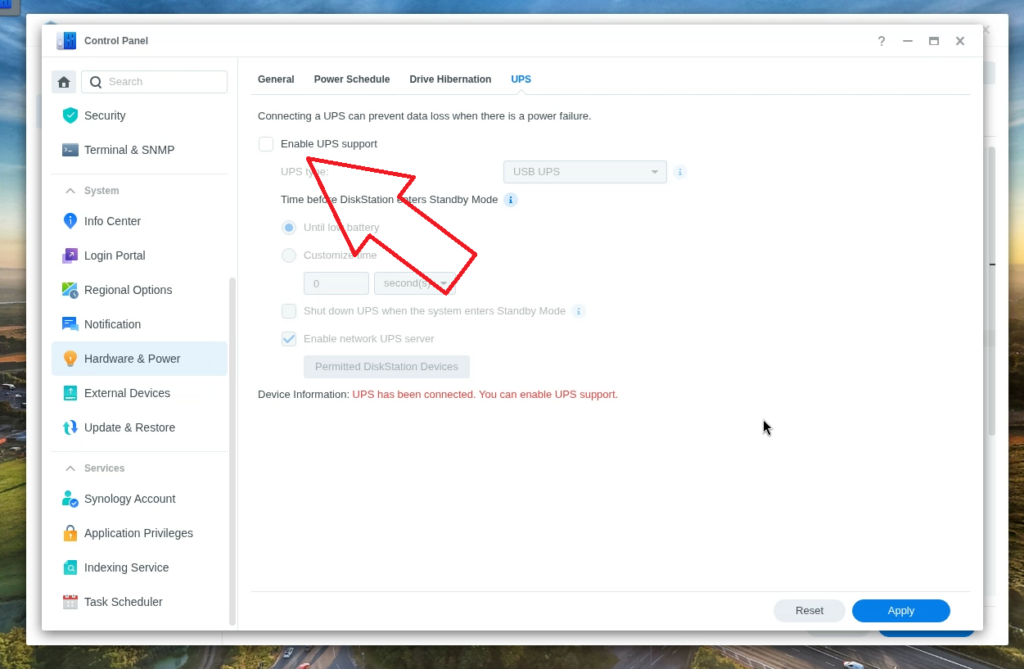
Connect your UPS by USB port on the back of your NAS. you can see i have already done this and the DSM has detected the UPS unit. Select Enable UPs support and then select Apply Bottom right.
Step 3
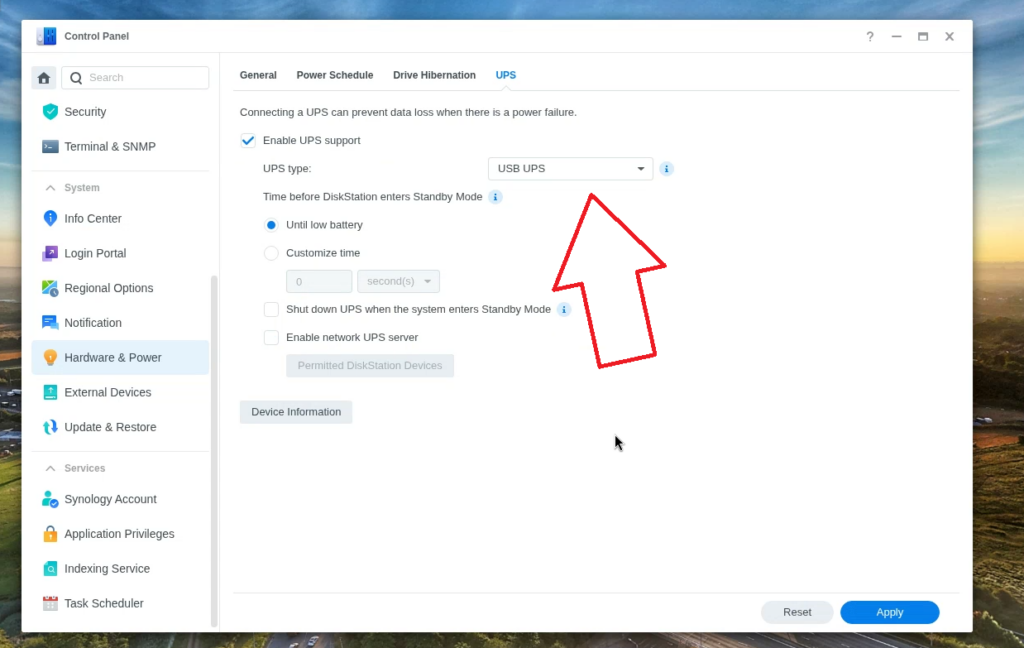
As we have enabled UPS support. we need to now ensure we have selected USB UPS in the drop down box and then select apply on the bottom right.
Note : Ensure your Time before standby mode has until low battery mode is selected.
This server is Classed as you Master server.
Step 4
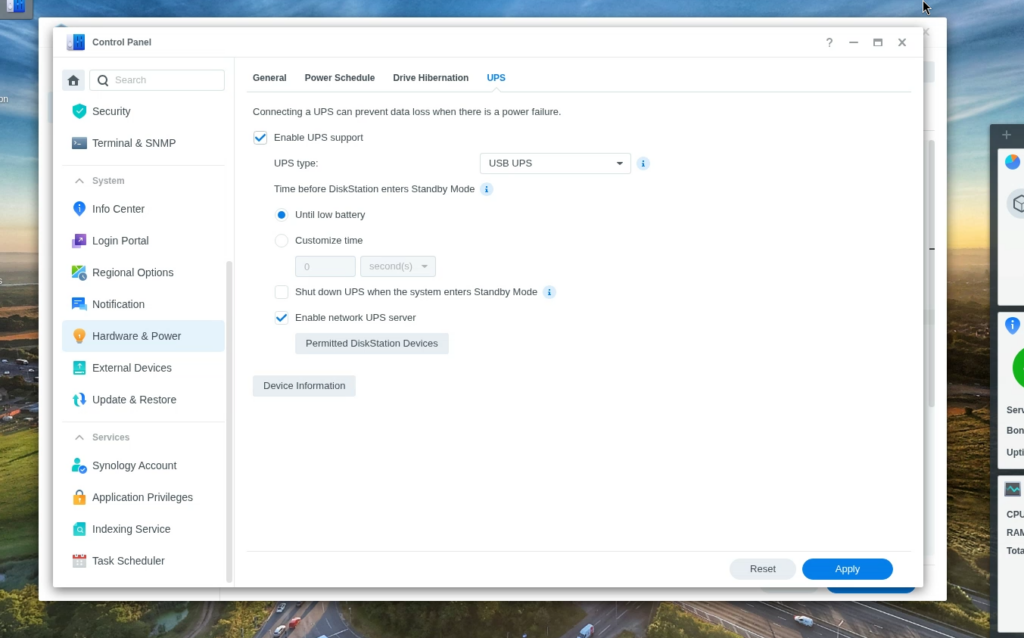
Now we have enabled the UPS system on our DSM. We need to allow access to the UPS data for other Servers on our Network. in my Case my backup server and Web Server.
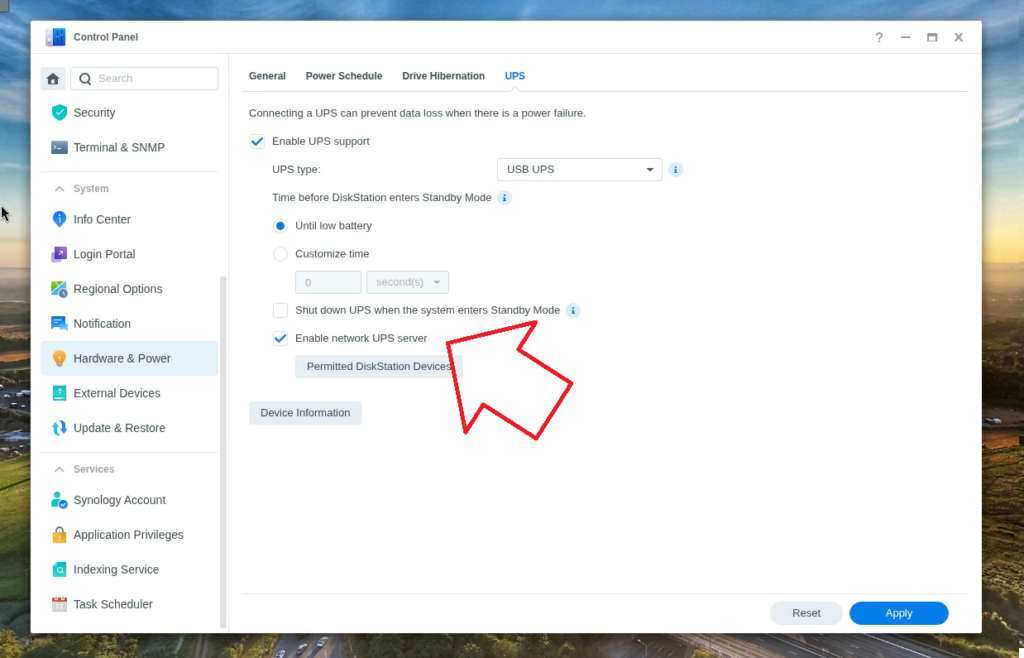
Todo this Enable Network UPS Server and Press apply bottom right.
Step 5
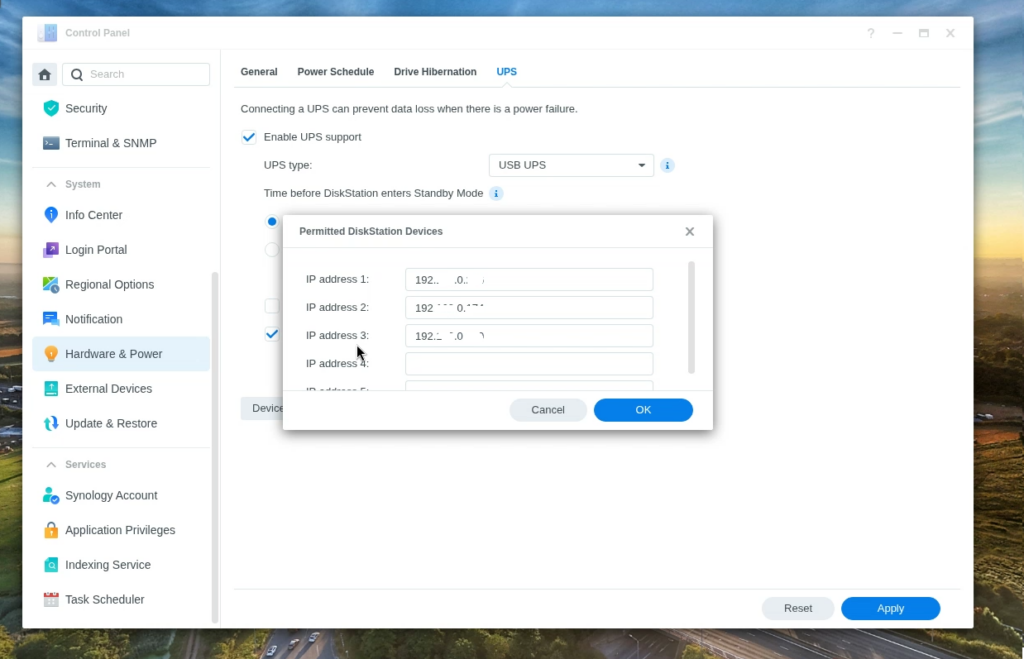
Now Select Permitted Diskstation Devices. This is where we enter the IP numbers of the Servers we want to access the UPS data, After you are happy with the IPS select OK and Apply.
Step 6
Accessing the UPS data on another Server.
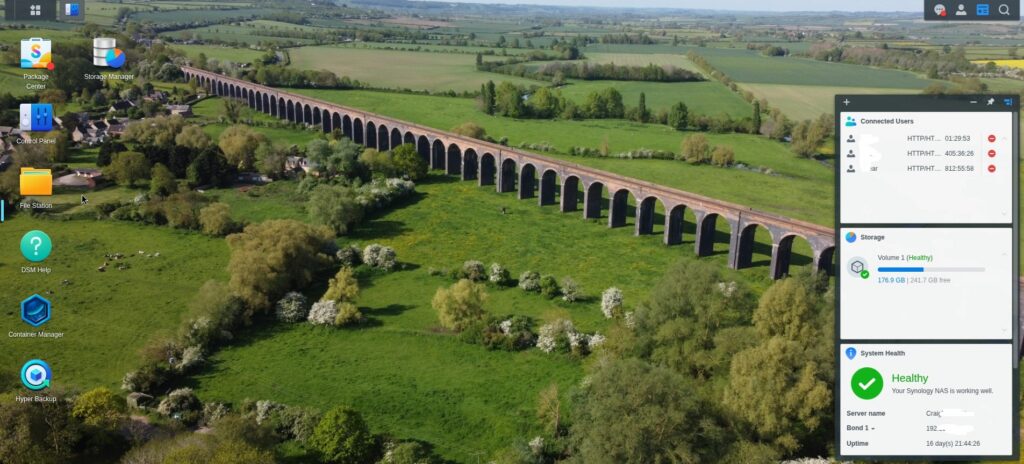
Login to your next server.
Step 7
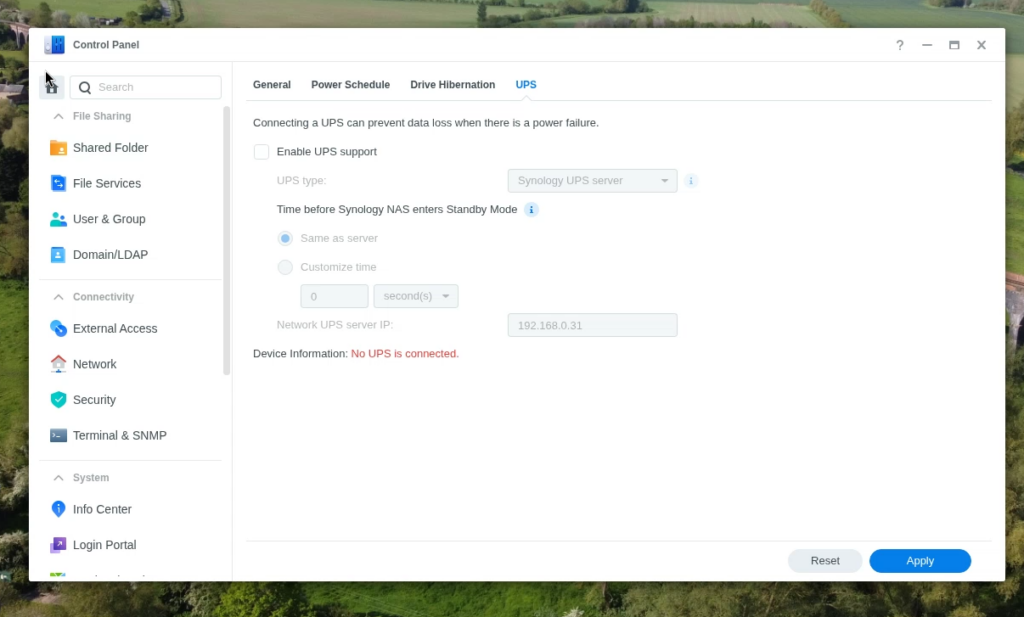
head over to Control panel / Hardware & power. for the for the step.
Step 8
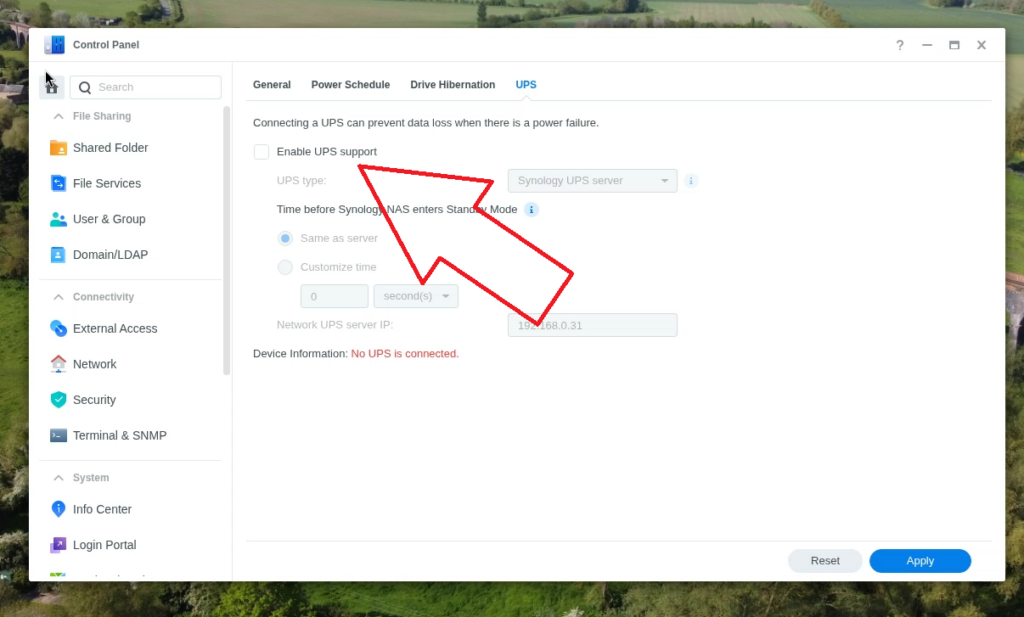
Enable UPS support and Select apply bottom right.
Step 9
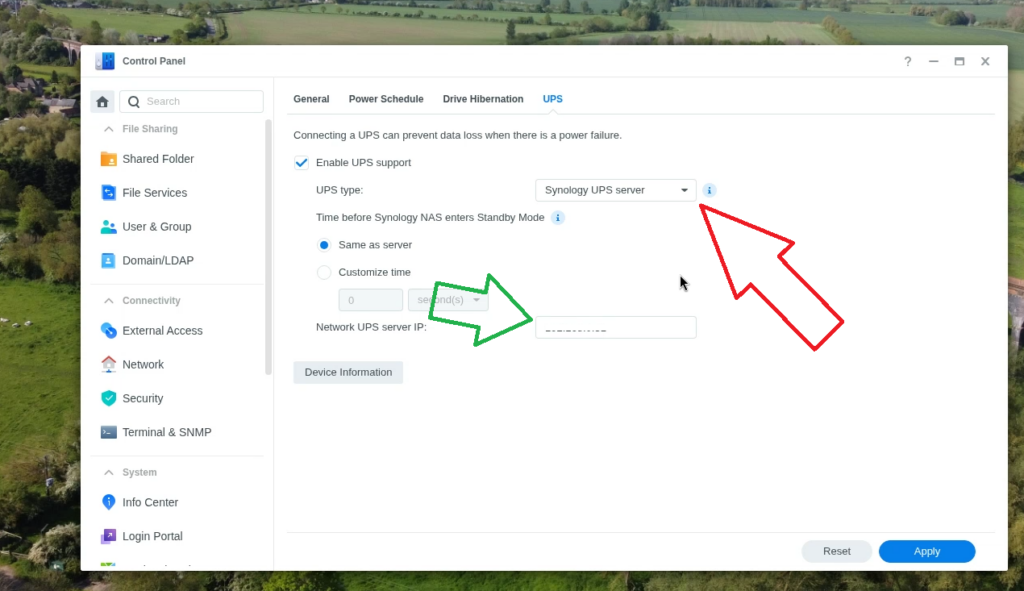
Now there is 2 things we need todo here.
- Select UPS type needs tobe Synology UPS server in the drop down box.(Red Arrow)
- Network UPS Server IP Needs tobe the Master Server IP address(green arrow)
And now select apply bottom right again.
Step 10
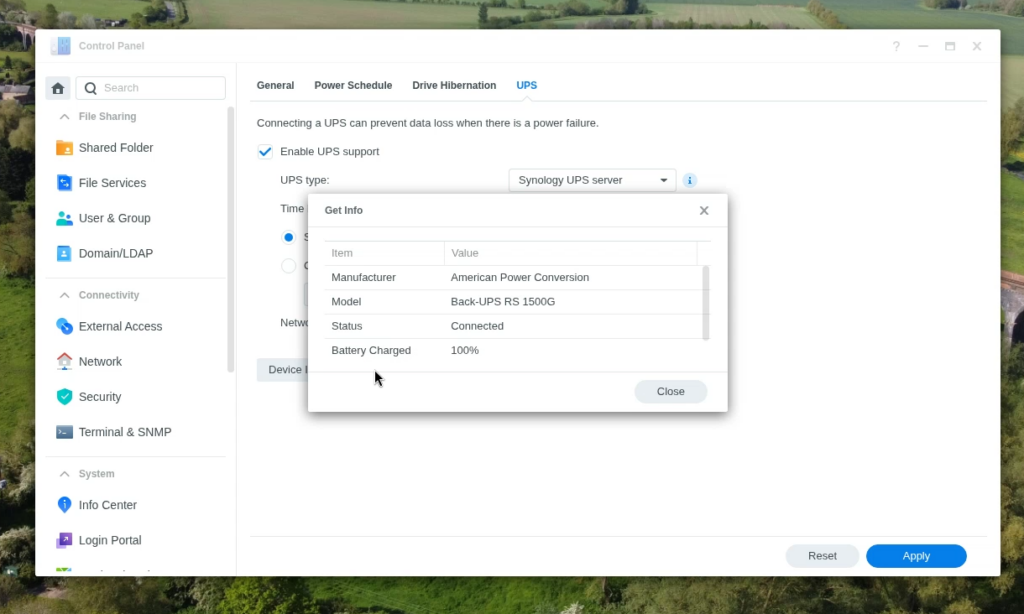
Now if you get no error messages you will see the UPS data in the Device information box when you select Device information.
Adding UPS to Home Assistant
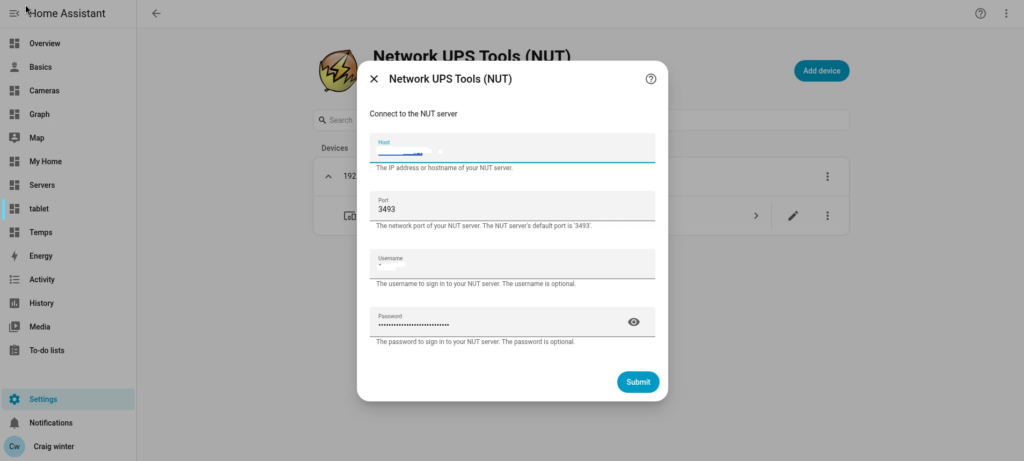
IP number is your master Server for Home assistant to communicate with your UPS and User/Password is the same as your login Details.
Note : To ensure this works as it should you should ensure you have completed steps 1 through to 5
Conclusion
Very easy over all to setup, you just have to remember that the server withthe UPS is the Master Server and all the other servers are a slave to this server for the information.