



External Docker access with Cloudflare Tunnels
If You run dockers and want to access those docker outside your network without having to open up your ports this is the way todo it. so grab a coffee because i think you are going to like this. i have split it up into Sections to easily Follow.
First things first lets setup Cloudflare tunnel.
Step 1.
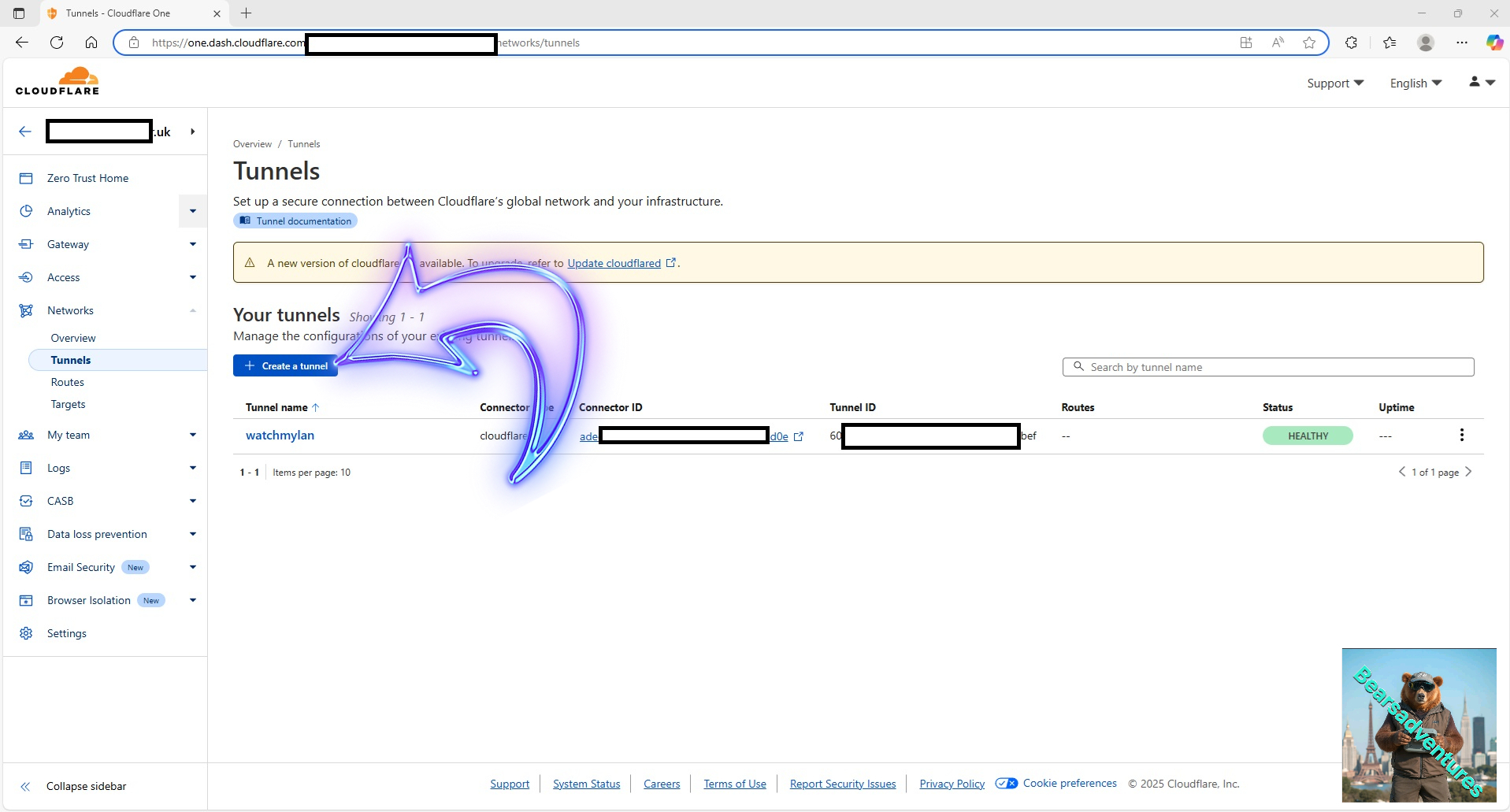
login to Cloudflare and goto Networks / Tunnels and the select create a tunnel
Step 2
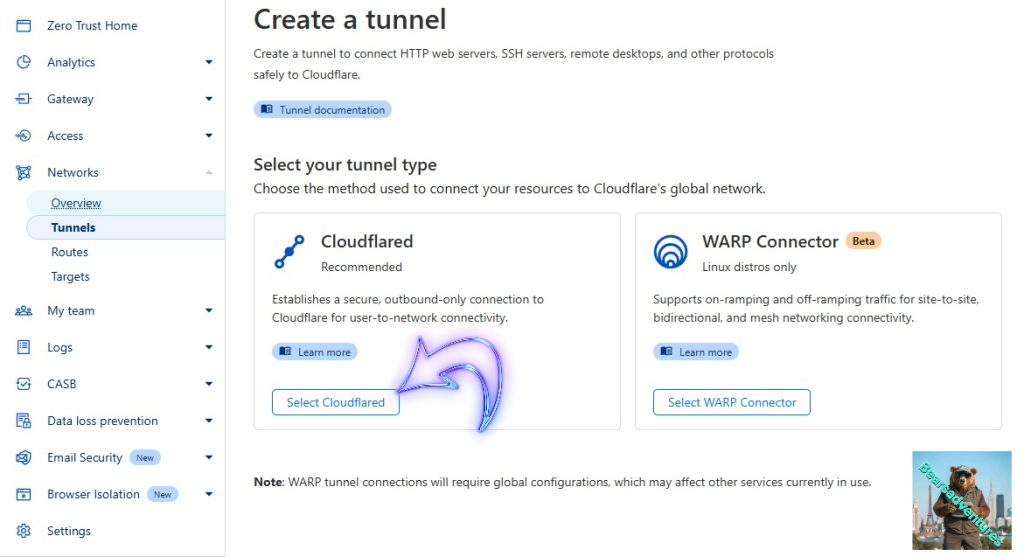
Create a Tunnel, Under Tunnels Select CloudFlared
Step 3
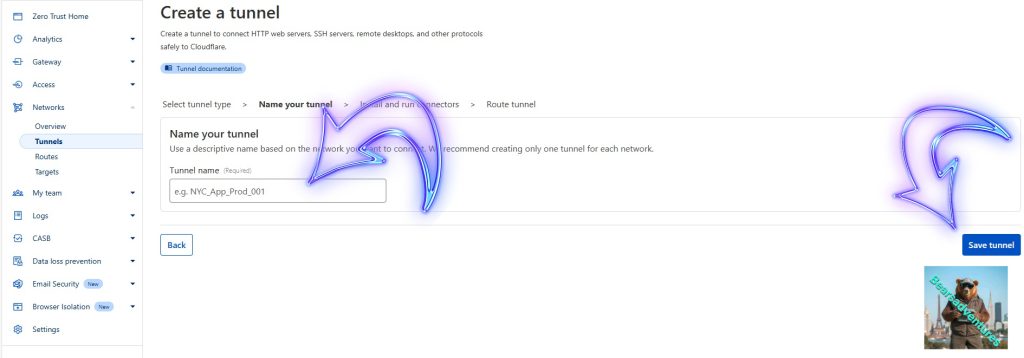
Give your tunnel a name and select Save
Step 4
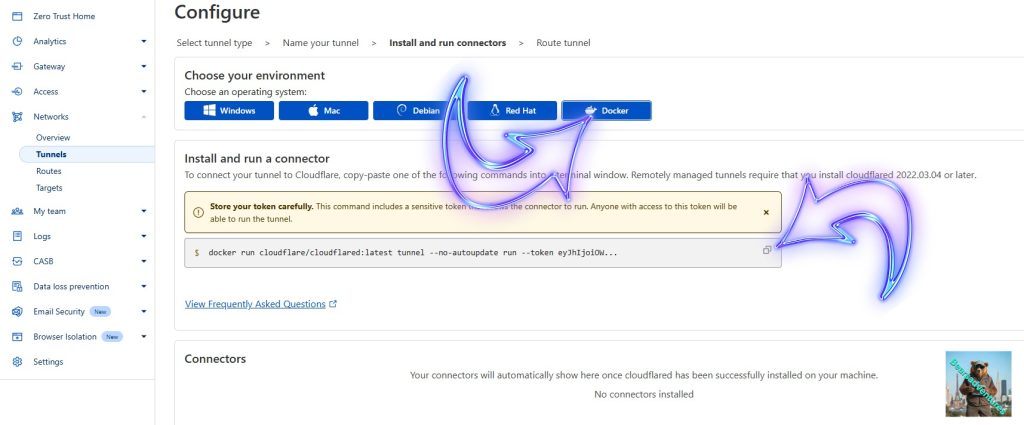
Now you should have a screen like below. Select Docker, This will give you a key that you need for the tunnel
Step 5
Select the box to the right to copy the key, should look somthing like below.
docker run cloudflare/cloudflared:latest tunnel --no-autoupdate run --token eyJhIjoiOWE1MjUxNDA1OTA0Njk3ZmFmMTQ3ODU3Njc5YzFmMTEiLCJ0IjoiMjA5MDM0YTctY2M0Yi00NGQ2LWIyODQtZjM3N2E2ZTVhOWJhIiwicyI6Ik1EUTVOemc0WmpNdE5HVTVPQzAwWkdSaExUaGlNRFV0TkRaaFltWmpNakZoTjJRdyJ9Now we have the key we can now create the Container that will update Cloudflare and give you access to the Network.
Step 6
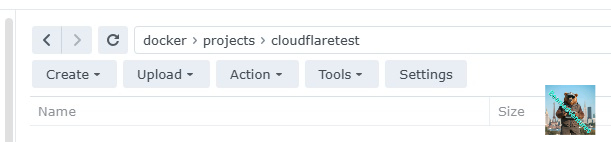
Load up DSM and create the following folder
Steps 7
now create a new container mananger project
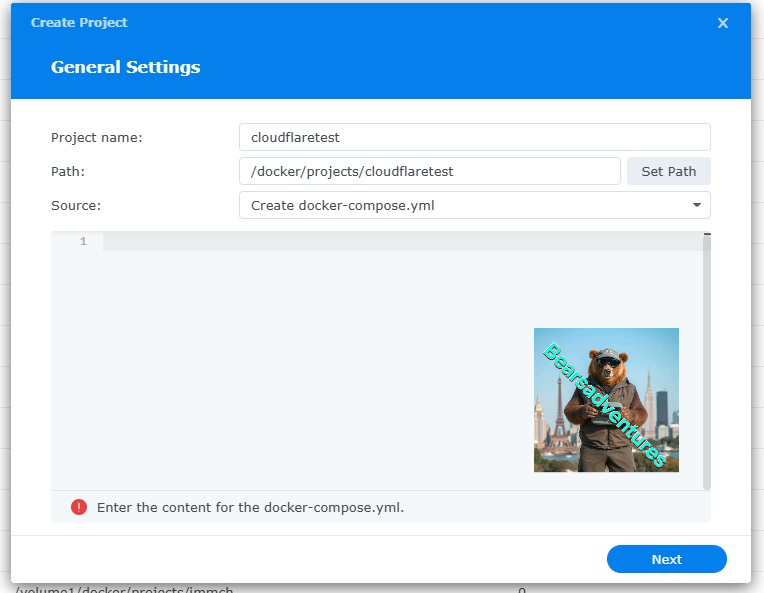
now copy the following into the box
version: '3.8'

services:
  cloudflared:
    image: cloudflare/cloudflared:latest
    container_name: cloudflared
    command: tunnel --no-autoupdate run --token fdsdsgfgfdgdfgdfgdfgdgdgfgdfhghghgfhghgfhfghgfhgfhfghfghfghfghfghf

    networks:
      - host #a name for the Cloudflare Network
    restart: unless-stopped

networks:
  host: #a name for the Cloudflare Network
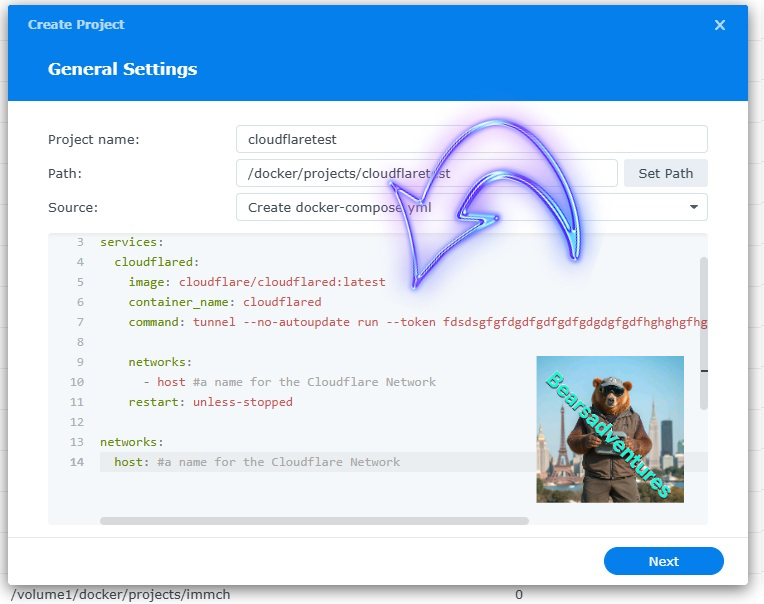
now the project should look something like this
step 8
now replace
fdsdsgfgfdgdfgdf
with your key like this
tunnel --no-autoupdate run --token eyJhIjoiOWE1MjUxNDA1OTA0Njk3ZmFmMTQ3ODU3Njc5YzFmMTEiLCJ0IjoiMjA5MDM0YTctY2M0Yi00NGQ2LWIyODQtZjM3N2E2ZTVhOWJhIiwicyI6Ik1EUTVOemc0WmpNdE5HVTVPQzAwWkdSaExUaGlNRFV0TkRaaFltWmpNakZoTjJRdyJ9to look like this
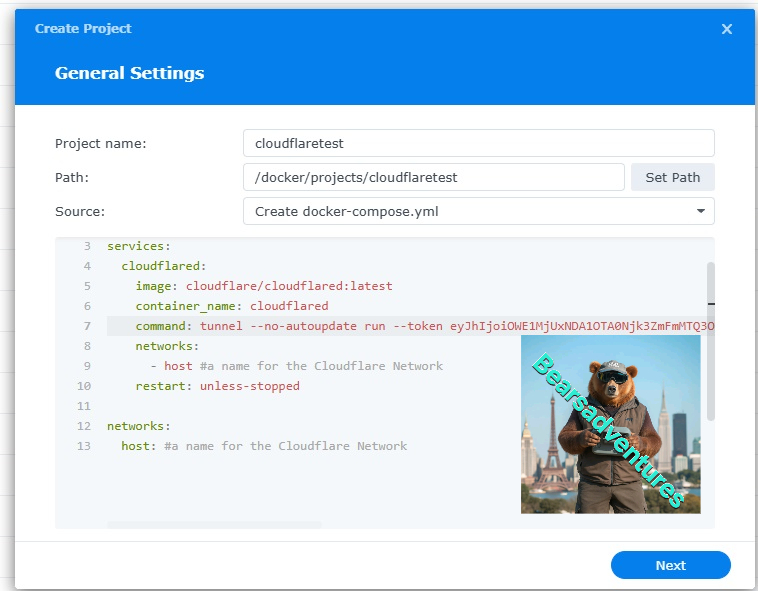
This key is only for the project tutorial and will be deleted after.
Now select next
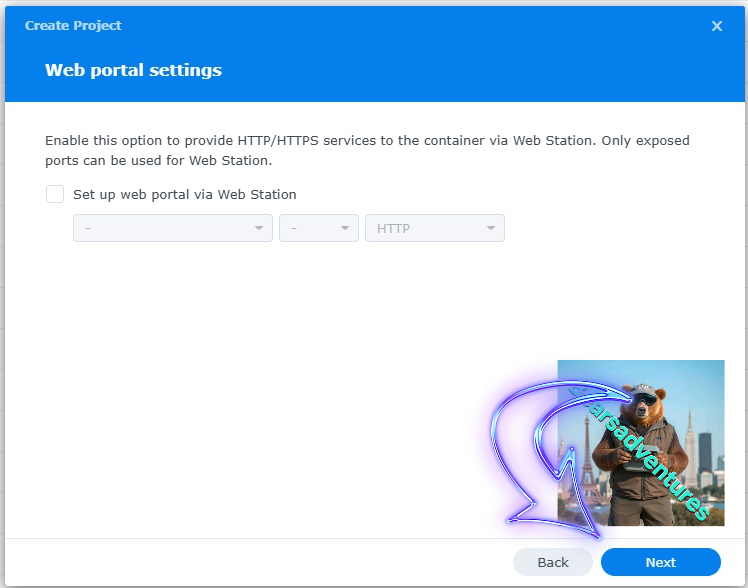
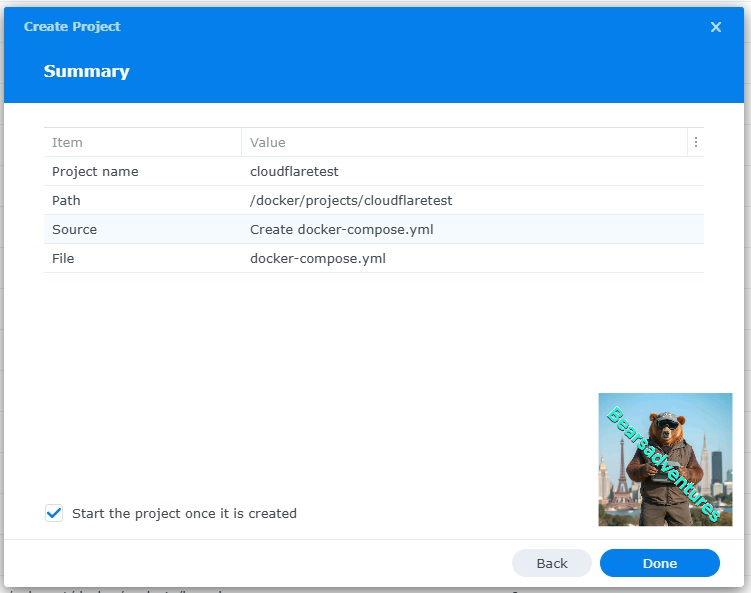
now you should have somthing like this now with no errors
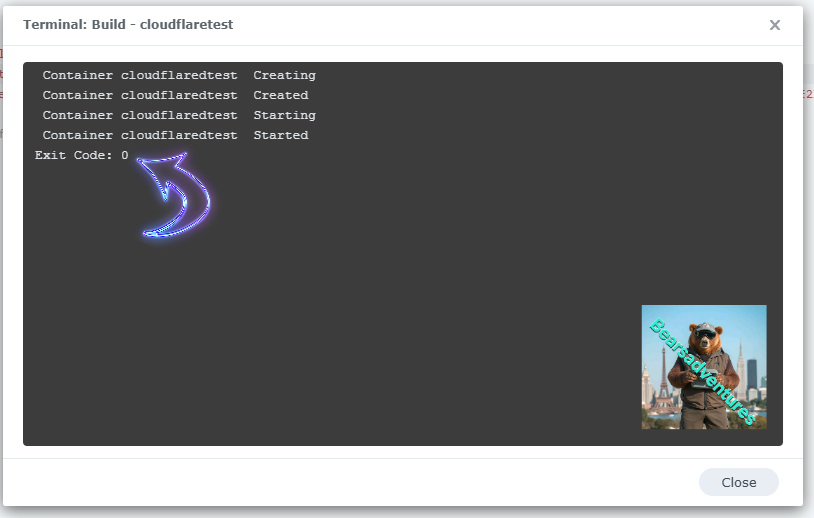
now lets check cloudflare to see if its connected to the docker container
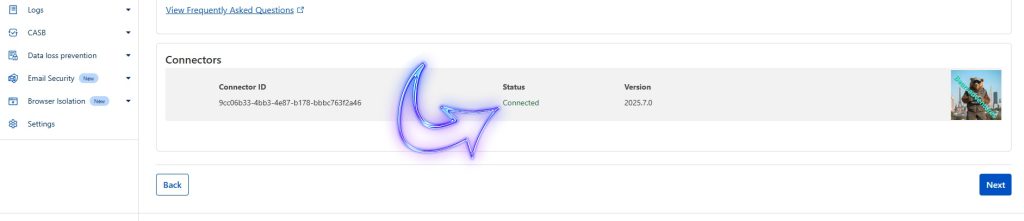
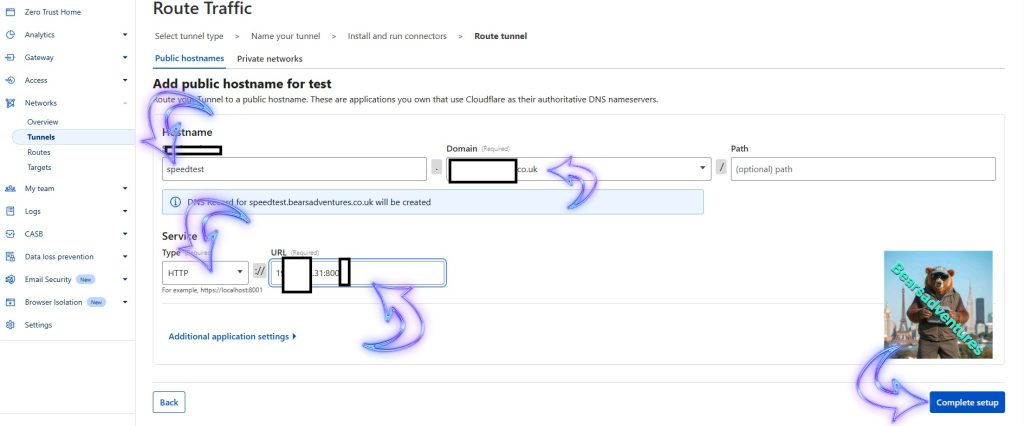
after selecting next now you can setup a subdomain into the docker like this
Setup the tunnel like this
Subdomain . Domain.co.uk
HTTP :// Server ip number : Port Number
Soon as you Select Complete Setup your good to try it out
now lets try it